Data Enrichment CRM: The Practical Playbook for 2026
Data enrichment CRM playbook for 2026. Learn how to pick providers, automate enrichment, and keep outbound data clean and conversion-ready.
A new lead lands in the CRM with a name, work email, and company domain. The sales rep opens the record and finds an old job title, no reliable industry value, an unverified phone number, and an account already owned by another rep. The enrichment tool has technically added data, but nobody knows whether the lead belongs in an enterprise sequence, an APAC territory queue, or a manual review list.
That's the difference between data enrichment CRM software and an enrichment system that supports revenue. The first fills fields. The second improves qualification, routing, sequencing, and follow-up quality. For teams selling across APAC, the distinction matters because provider coverage, job-title conventions, identifiers, and privacy rules vary widely by market.
If you're evaluating a platform, Apollo's data enrichment solution is one option worth testing alongside your existing CRM and outbound stack. Treat it as a provider to benchmark, not as a reason to skip data preparation, governance, or downstream measurement.
Table of Contents
Why Data Enrichment CRM Work Breaks Without a Recurring Plan
Choosing an Enrichment Provider Without Trusting Their Coverage Claims
Waterfall and Trigger-Based Enrichment for APAC and Global Teams
Routing Enriched Data Into Scoring, Sequencing, and Reply Outcomes
Why Data Enrichment CRM Work Breaks Without a Recurring Plan
The common assumption is that enrichment is a cleanup project. Export the CRM, append missing fields, import the results, and move on. That approach fails because the record is only accurate at the moment someone enriches it.
One industry source estimates that B2B contact data decays by about 2.1% per month, which compounds to roughly 22% to 25% annually. The same source reports that within 12 months, 70.8% of business contacts change roles, companies, or responsibilities, while 42.9% of phone numbers become invalid and 37.3% of email addresses change or deactivate. These figures explain why a one-time enrichment project can't keep routing logic reliable over time. (CRM data enrichment and contact decay)
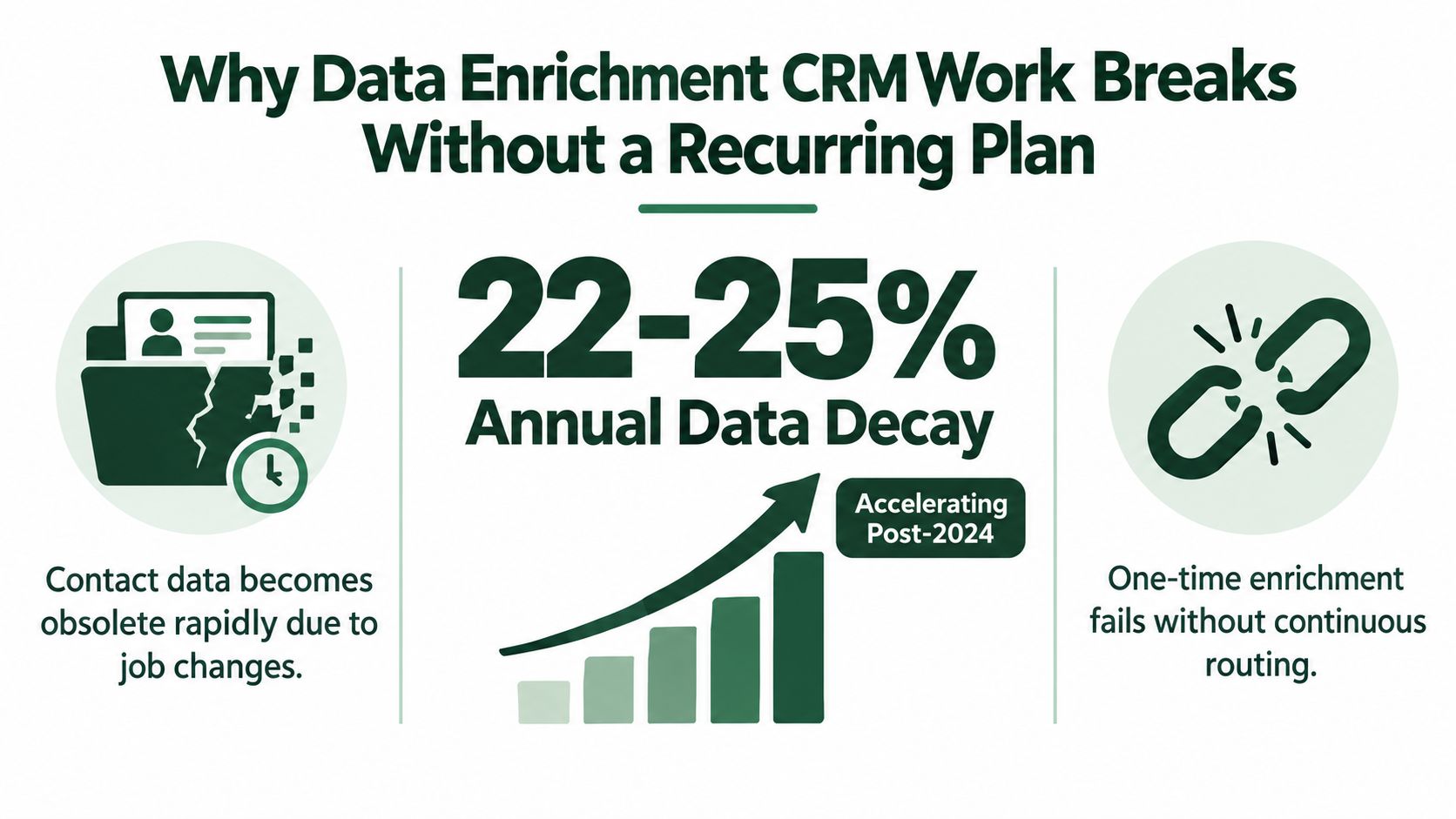
The routing problem behind stale records
A stale title can send a lead to the wrong sequence. An outdated company size can assign the wrong account tier. A missing country value can route an inquiry to a rep who doesn't understand the market or can't contact the buyer during appropriate local hours.
That means the useful question isn't, “How many fields did the provider fill?” It's, “Did this record reach the right workflow with enough confidence to act?” A complete-looking record that routes incorrectly is more dangerous than a sparse record that goes to review.
Practical rule: Measure enrichment by the decisions it improves, not by the number of properties it populates.
A recurring plan treats enrichment as a set of routing decisions. New records may receive lightweight enrichment immediately. High-intent accounts may receive deeper firmographic, technographic, and role-level checks. Existing records need refresh triggers when a lead changes stage, an account enters the ICP, or a contact becomes relevant to an active opportunity.
Why APAC makes the problem less visible
Many CRMs show a field as complete without showing how confidently the value was matched. That hides market-coverage gaps. A company name can match a global database while its local subsidiary, translated name, regional domain, or local decision-maker remains unresolved.
The practical operating system is simple: standardize first, enrich selectively, validate the output, and refresh records on a schedule. Waterfall enrichment helps fill provider gaps, while trigger-based enrichment keeps the most commercially important records current. The objective isn't a permanently full database. It's a CRM that assigns the right owner, tier, message, and next action.
Preparing Your CRM Before You Enrich Anything
Enrichment providers match against the identifiers you send them. If those identifiers are inconsistent, the provider isn't starting with a clean identity problem. It's starting with a guessing problem.
Begin with a field audit. Separate fields that identify the record from fields that describe the account or contact. Company name, normalized domain, country, and account ID belong in the identity layer. Industry, employee band, technology stack, seniority, and buying signal belong in the decision layer.
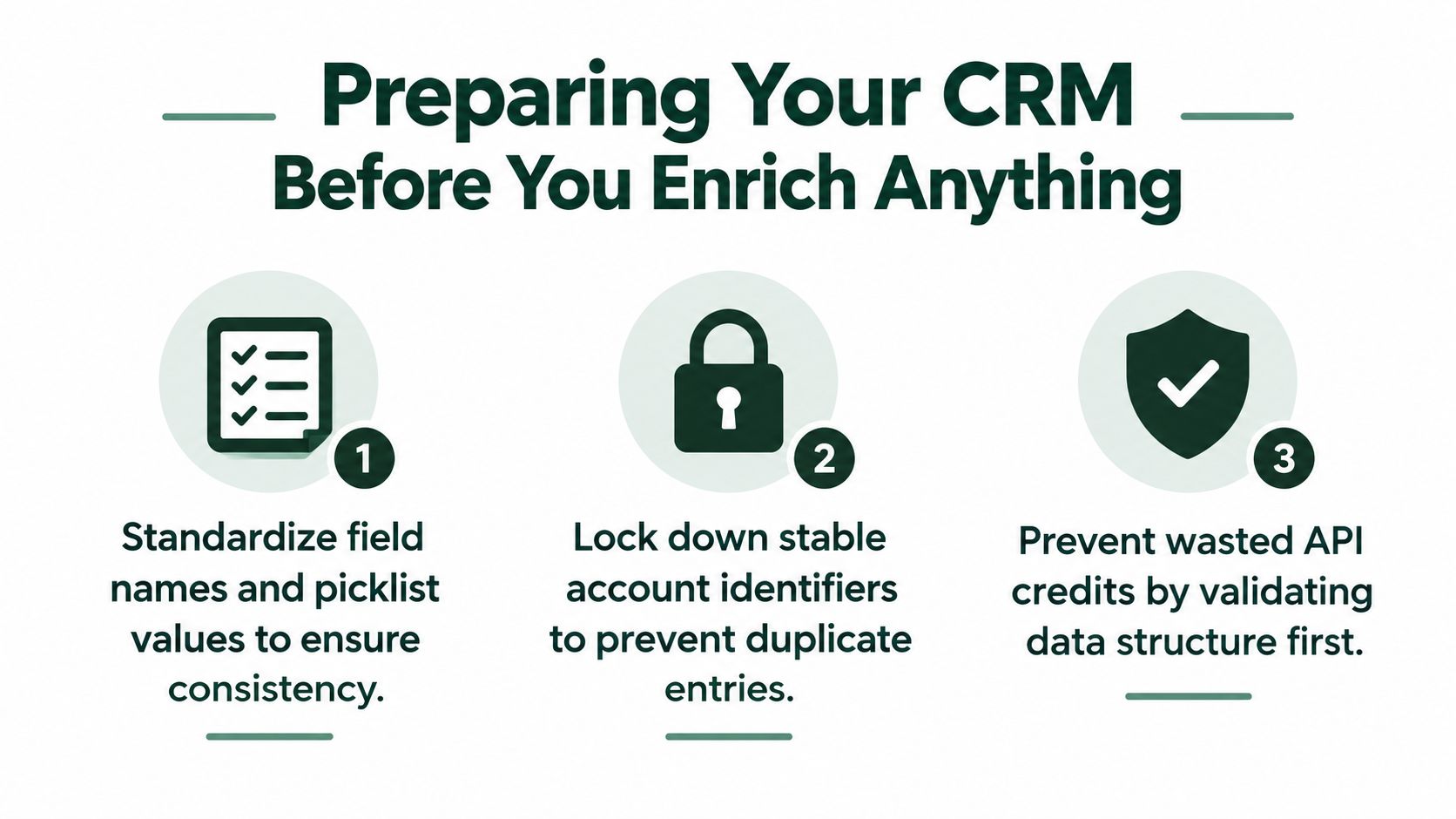
A preparation sequence that prevents bad matches
Standardize field names and values. Use one internal name for each concept. Normalize country and state values, phone formats, industry labels, and employee bands before sending records to a provider.
Create stable matching keys. A company name isn't stable enough by itself. Use a normalized company domain where available, a durable internal account identifier, and a LinkedIn company handle when your systems support it. Store the original value separately so you can audit transformations.
Deduplicate before enrichment. Match contacts using email keys where appropriate, and match accounts using domain and account identity rules. Duplicate accounts cause conflicting owners, duplicated enrichment calls, and inconsistent routing.
Freeze a baseline snapshot. Export the records and fields you intend to enrich before the first provider call. Without that snapshot, you won't know whether a field was missing, overwritten, transformed, or incorrectly appended.
Use staging fields. Keep raw provider responses, source names, timestamps, and confidence values outside canonical sales fields. Only approved values should flow into the fields that scoring and routing use.
A clean integration also needs explicit ownership, field mapping, update rules, and error handling. The overview of how CRM integration works is useful for checking whether the connection is moving data safely between systems rather than just importing values.
The rule that saves API credits
Don't enrich a broken database. Deduplicate, normalize, and establish identifiers first. Then enrich only the objects and fields that support a real workflow, such as account assignment, ICP scoring, sequence selection, or contact verification.
Teams building the acquisition side of that workflow can also review this lead generation and list-building guide. List quality and CRM quality are connected. A carefully enriched record still creates operational noise if the original list has weak identity data or unclear targeting criteria.
Choosing an Enrichment Provider Without Trusting Their Coverage Claims
A provider's match rate and accuracy rate answer different questions. Match rate tells you how many submitted records returned at least one appended value. Accuracy tells you whether those values are correct.
A provider may match a record because it found a company with a similar name, then return the wrong role, location, or account relationship. A lower match rate with dependable values can produce better routing than a high match rate filled with unverified data. Industry guidance also notes that match rates can range from about 40% to above 90%, depending on the provider and identifiers used, so provider claims aren't comparable without a controlled test. (How third-party enrichment accuracy is evaluated)
Compare providers by operational fit
Provider Type | Coverage Strength | Freshness | APAC Coverage | Typical Trade-off |
|---|---|---|---|---|
First-party intent sources | Strong for known visitors and engaged accounts | High for observed activity | Depends on your own traffic and market presence | Limited to people who interact with your properties |
Crowdsourced networks | Broad contact discovery and role data | Variable | Can be useful where network participation is strong | Inconsistent verification and provenance |
Public-web scrapers | Flexible discovery across company sites and public profiles | Variable and dependent on crawl timing | Can surface local companies missed by global datasets | Greater ambiguity, parsing errors, and jurisdiction concerns |
Partner-sourced registries | Useful company and entity context | Often stable for registered information | Depends on local registry access and partner depth | May lack current buyer contacts or direct contact details |
For an actionable test, export a statistically meaningful sample of 500 to 1,000 live CRM records and compare vendors on field-level fill rate, match rate, and a 30-day deliverability test. Those benchmarks are more useful than a provider's claimed database size because they show whether the output works in your actual ICP. (CRM enrichment tool evaluation benchmarks)
What to inspect in the pilot
Check the fields that affect a real decision:
Vertical coverage: Can the provider identify the industries you sell into, not just generic company categories?
Role granularity: Does it distinguish an economic buyer, technical evaluator, operations leader, and user?
Contact usability: Are emails and phones current enough to support actual outreach?
Refresh transparency: Can you see when a value was last checked and which source supplied it?
Confidence visibility: Can low-confidence records go to review instead of triggering automation on their own?
Downstream outcome: Do enriched records receive better ownership, sequence placement, and replies?
Use the data enrichment tools comparison to frame the shortlist, then test providers against your own records. Don't sign an annual contract because a dashboard shows impressive coverage. A provider earns its place when its fields improve the decisions your team makes every day.
Mapping Fields and Automating the Enrichment Workflow
The safest enrichment workflow starts with a field map, not an API key. Write down what each field means, which system owns it, which provider can update it, and what happens when two sources disagree.
Separate identity attributes from sales attributes. Identity attributes include company name, normalized domain, country, and LinkedIn handle. Sales attributes include industry, employee band, revenue range, technology stack, seniority, department, and intent status. This separation prevents a provider from changing the identity of a record while trying to improve its qualification data.
A practical field architecture
Use consistent internal naming, such as company_domain, country_code, employee_band, and seniority_level. Controlled picklists matter more than they seem. If one workflow uses “Software,” another uses “SaaS,” and a third uses “Technology,” your score and routing rules will disagree even when the underlying company is the same.
Normalize countries with ISO codes. Store revenue ranges in a consistent currency basis. Keep provider-specific values in staging fields, then map approved values into canonical fields. For entity-level context, resources such as SOSfinder entity data integration can help teams think through the difference between a contact record and the legal or commercial entity behind it.
A repeatable workflow looks like this:
Receive the record. A form submission, list import, inbound conversation, or manually created account enters the CRM.
Resolve identity. Match on normalized domain, email, LinkedIn handle, or a controlled combination of identifiers.
Call the provider. Request only the fields needed for scoring, routing, sequencing, or verification.
Store the response. Save raw values, source, timestamp, and confidence in staging fields.
Apply update rules. Fill blank fields, append new evidence, or overwrite stale values only when the source is trusted for that field.
Activate workflows. Recalculate the ICP tier, assign an owner, branch the sequence, or create a review task.
Log the change. Record every overwrite so RevOps can inspect the decision during a later audit.
Confidence should control automation
Don't let every provider response trigger a workflow. Use a high-confidence band for automatic updates, a middle band for human review, and a low-confidence band for rejection or retention of the existing value. The exact cutoffs should come from your pilot and the cost of a wrong decision, not from a vendor's default settings.
This pattern works with HubSpot, Salesforce, and Pipedrive through native workflows or middleware such as Zapier and n8n. Add idempotency keys so a retry doesn't create a duplicate record or repeatedly overwrite a value. The CRM should know whether it has already processed a provider response.
The audit log is part of the product. Without it, you can't tell whether a wrong owner came from a bad match, a stale source, a mapping error, or an automation rule that applied too broadly.
Waterfall and Trigger-Based Enrichment for APAC and Global Teams
Single-provider enrichment is attractive because it looks simple. It also creates a single point of failure. No dataset has equal depth across every country, industry, company size, language, and seniority level.
Waterfall enrichment addresses that weakness by calling providers in a defined order. The first provider may handle broad firmographics, the next may fill missing contact fields, and a regional source may resolve local company or role data. The workflow stops when a field reaches the confidence required for its intended use.
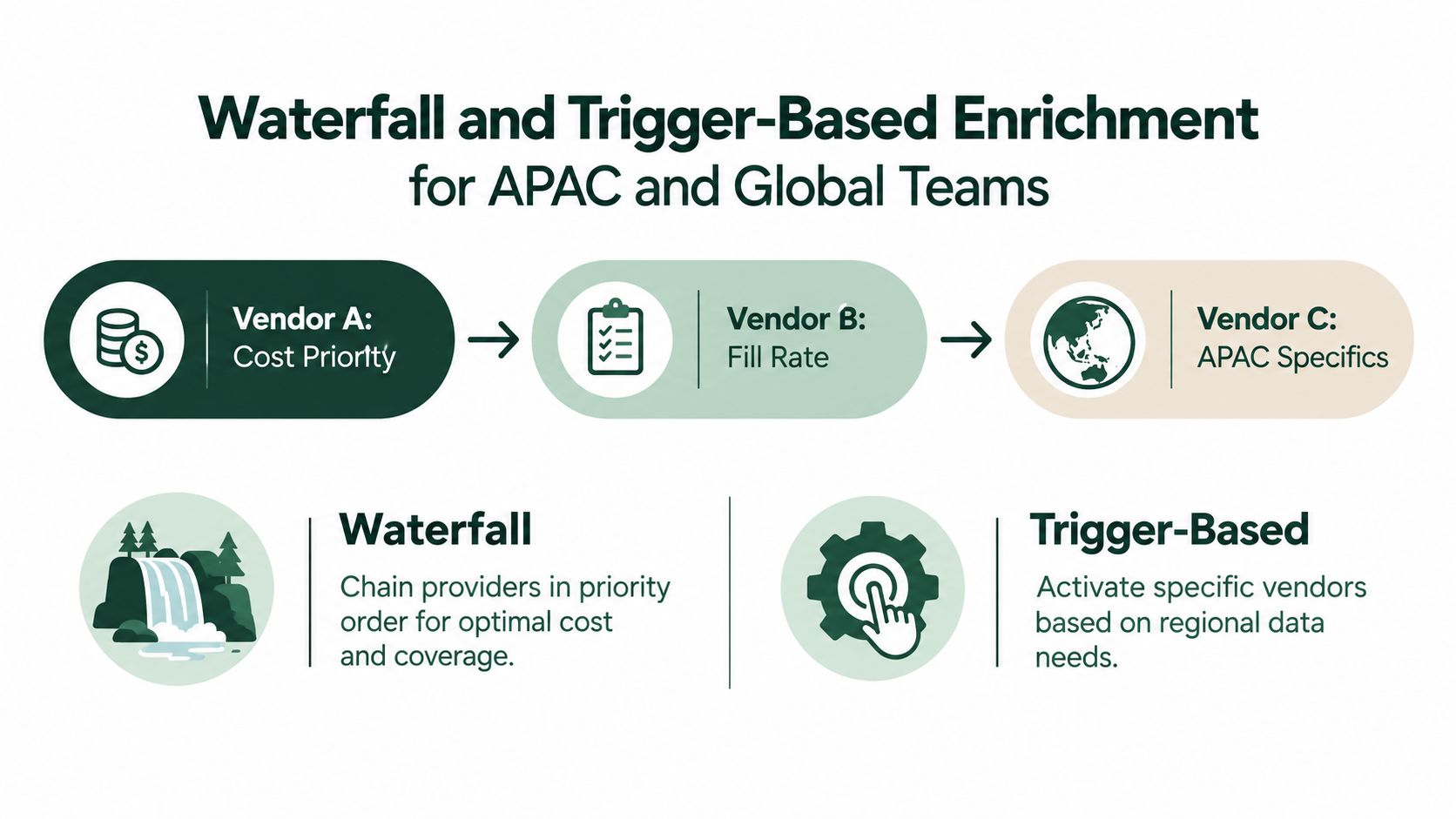
Use triggers to control depth and cost
Waterfall logic determines which source gets called. Trigger logic determines when enrichment is worth calling.
Useful triggers include:
New lead creation: Resolve identity and add the minimum fields required for initial routing.
Account stage change: Enrich deeper when an account moves from prospecting to active evaluation.
ICP tag added: Request the fields needed to determine tier, territory, and buying group.
Freshness expiry: Recheck records when their data has passed the freshness window set by your team.
Contact role change: Reassess ownership and sequence placement when a decision-maker moves.
APAC coverage needs deliberate testing. Teams often encounter weaker mid-market visibility in Indonesia, Vietnam, and the Philippines, inconsistent job-title taxonomies in Japan and Korea, and different company naming conventions across local markets. Those are not universal provider failures, so test them against your target accounts rather than accepting regional coverage labels at face value.
Privacy adds another constraint. PDPA and China's PIPL can affect how organizations collect, process, transfer, and activate personal data. Your enrichment design should document the lawful basis, permitted use, opt-out handling, retention controls, and whether a provider can export the relevant field into the market where your CRM operates. The email marketing laws guide is a useful reference when enrichment feeds outbound communication.
Build a segment-specific stack
A practical architecture may use one broad provider for common account fields, a second source for contact verification, and a regional source for markets where the first two leave gaps. The mix should follow your ICP segments, not a simplistic global-versus-APAC split.
For regulated or high-value accounts, keep humans in the loop before enriched values change ownership or trigger automated outreach. Speed matters, but an unverified regional contact can create compliance exposure and damage trust faster than a missing field.
Routing Enriched Data Into Scoring, Sequencing, and Reply Outcomes
Consider a Singapore-based SaaS company selling to mid-market manufacturers in Malaysia, Thailand, and Australia. A new account enters with a domain and one contact. The enrichment workflow adds industry, employee band, country, seniority, technology stack, and a confidence value for each field.
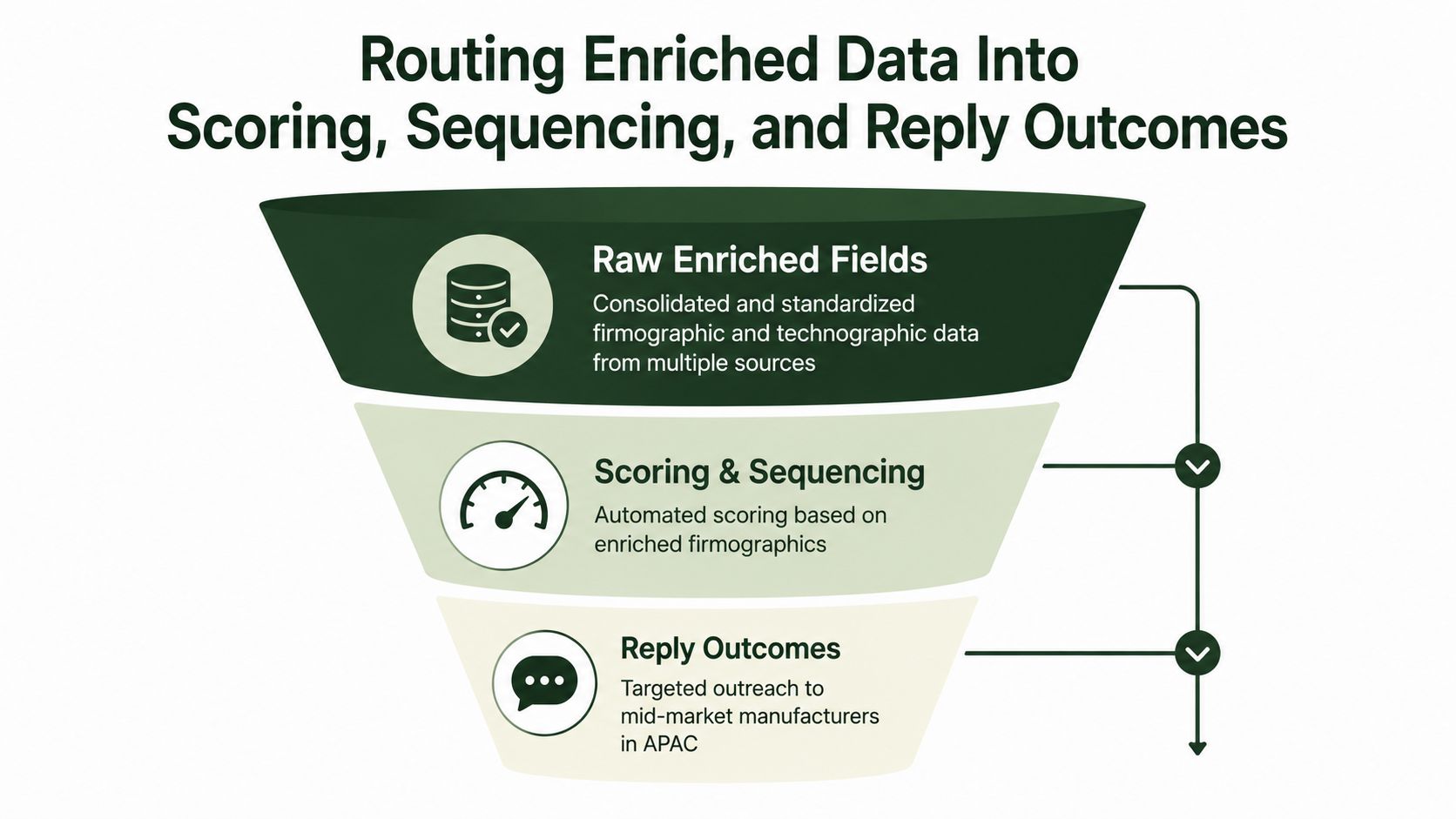
The account's industry and company size determine whether it fits the manufacturing ICP. Its technology stack indicates whether the product addresses an existing operational environment. The contact's seniority determines whether the record belongs in an executive conversation, a technical validation path, or a nurture queue.
The system shouldn't just assign a score and stop. It should turn those values into decisions:
Ownership: Country, account tier, and segment assign the correct territory owner.
Sequence branch: An enterprise IT leader receives a different opening from an operations manager at a family-owned plant.
Task priority: A high-fit account with a verified decision-maker creates an SDR task. A low-confidence record goes to review.
Message context: Industry and technology fields shape the problem statement, while intent or engagement signals determine timing.
Reply classification: Positive, neutral, and negative replies are tagged against the record's source and confidence so the team can find where bad data affects outcomes.
Keep the data connected to the inbox
A common implementation mistake is building a complex score that no seller sees. The score must appear in the task queue, sequence enrollment rule, or alert that controls the next action. If an enriched field changes but no workflow responds, the field is informational rather than operational.
Use a simple routing map:
Define the decision. Write the exact owner, sequence, or task that the field should control.
Set the condition. Combine fields only when each one has a clear purpose. Avoid scoring from properties that nobody trusts.
Add a confidence guardrail. A low-confidence industry should not trigger a specialized message without review.
Record the outcome. Store reply type, meeting status, and disqualification reason against the enrichment tier.
Inspect the exceptions. Review accounts where enriched values conflict with rep feedback or where positive replies cluster around a particular source.
sales pipeline automation becomes relevant here. Automation is useful only when it carries a verified signal from the CRM record into a timely seller action.
The right success measure isn't completeness. It's whether the right account reaches the right person with a credible reason to respond.
Maintaining Data Quality as a Quarterly Operating Rhythm
Treat CRM data as infrastructure. Infrastructure needs ownership, monitoring, maintenance, and incident handling. It shouldn't depend on a RevOps specialist noticing that a routing report looks strange after a campaign has already run.
Track four core KPIs:
Field coverage rate: Are the fields required for routing populated?
Data freshness: How recently were the decision-driving values checked?
Duplicate rate: Are multiple records competing for the same account or contact?
Email bounce rate: Are supposedly usable contacts reaching real inboxes?
Hard bounce rates above 3% to 5% are a strong warning that the underlying database may already be degraded. Appending more unverified contacts at that point can increase the problem rather than solve it. (CRM enrichment quality and bounce-rate guidance)
Assign the work before the review
RevOps should own the data model and provider hierarchy. SDR operations should report routing errors and unusable contacts. Marketing operations should own campaign suppression, consent signals, and audience synchronization. Each team needs a clear path for correcting stale or disputed records.
Governance also belongs at the field level. Before enrichment begins, document the lawful basis for using each relevant field, along with opt-out handling, audit trails, and retention controls. A compliance-oriented CRM enrichment governance guide provides useful context for designing those controls.
A repeatable review cycle
Use a fixed operating rhythm rather than waiting for a crisis.
Early cycle: Snapshot coverage, freshness, duplicates, bounce rate, provider usage, and routing exceptions.
Middle cycle: Audit a held-out sample for domain-to-company matches, industry normalization, title drift, and provider accuracy.
Late cycle: Compare reply and conversion outcomes by enrichment source and confidence tier. Rotate or deprioritize sources that create poor downstream decisions.
Review meeting: Revisit provider mix, confidence rules, stale-record windows, consent controls, and human-review queues.
The revenue operations overview helps frame this as shared operating responsibility rather than a database task owned by one person.
Set automated alerts for completeness falling below the level required by a workflow, bounce-rate spikes, unexpected title changes, duplicate creation, and unusual shifts in provider match quality. Then use the quarterly meeting to change the rules, not just admire the dashboard.
The Social Search helps B2B teams build APAC and global outbound systems that connect ICP definition, lead data, enrichment, routing, messaging, and reporting. If your CRM is adding fields without improving ownership or reply quality, visit The Social Search to discuss a practical enrichment and GTM system your team can operate and own.
