Ad Not Delivering Facebook
Ad not delivering facebook. Ad not delivering on Facebook? Learn the exact checks to run in Ads Manager and the fixes that restore delivery
Your Facebook campaign went live, the approval came back fast, and the spend line still sits at zero. That's the moment most operators make the wrong move, they poke the budget first, then the bid, then the creative, and end up making the auction even harder to win.
Treat ad not delivering Facebook as a broken chain, not a single toggle. The ad has to clear policy, enter the auction, survive learning, and win enough impressions for Meta to keep optimizing. If one link breaks, delivery dies, and Ads Manager usually tells you which link failed if you read the delivery column before you touch anything else.
If you also need a broader systems view of how paid social fits into lead generation, the most useful starting point is what social media marketing, leads, and ads growth look like together. For account and integration context around the platform itself, platforms and integrations for Meta Ads is worth keeping open in another tab.
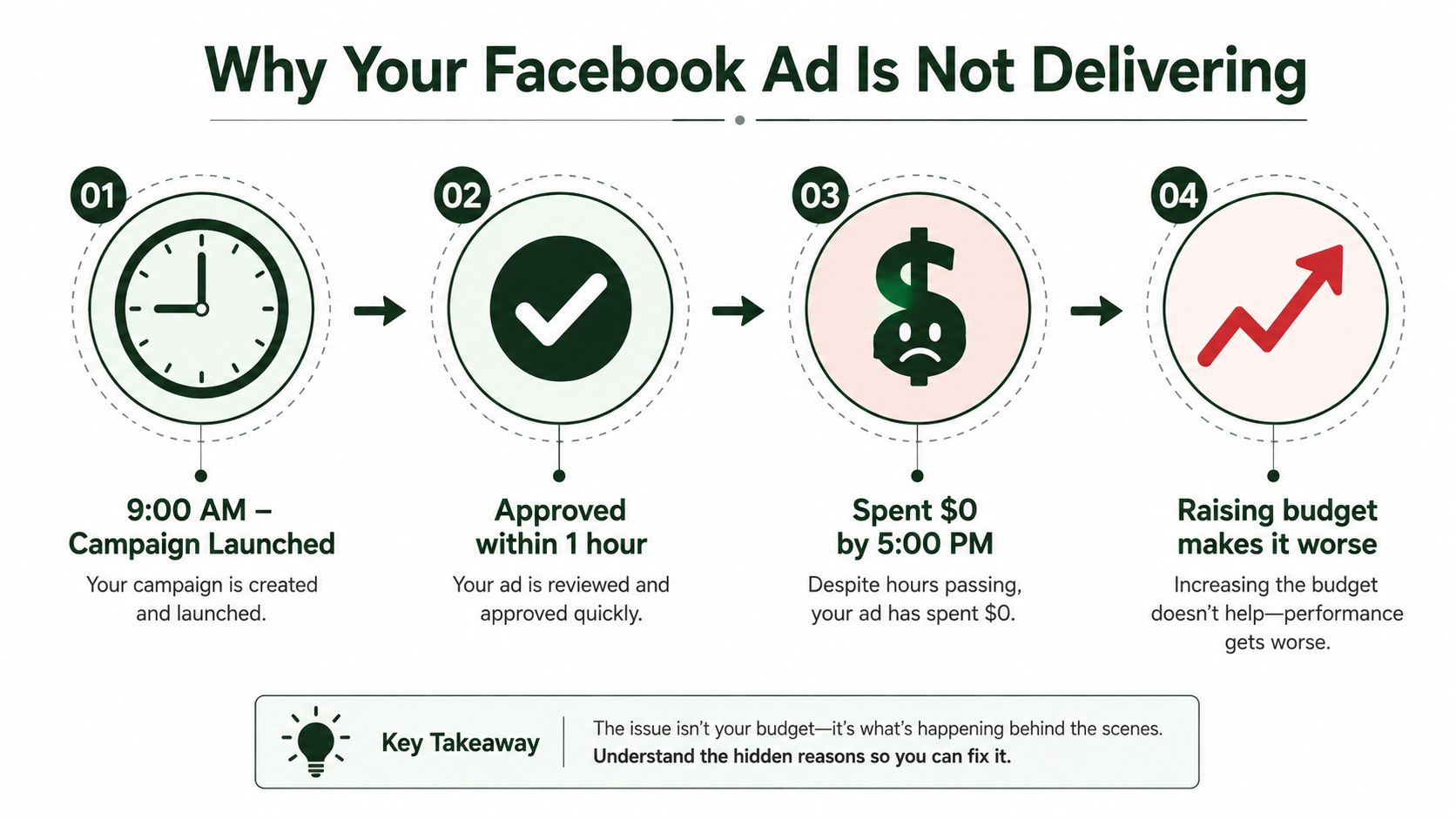
Table of Contents
Why Your Facebook Ad Is Not Delivering
A campaign can be approved at 10 a.m., look healthy in the interface, and still spend nothing by the end of the day. The instinct is to raise budget, but that usually helps only if the problem is auction competitiveness, not if the break is policy, audience, pacing, or learning.
Meta's delivery system is built like a chain of gates. The ad must pass policy review, qualify for the auction, gather enough signal to optimize, and keep winning impressions against other ads. Independent research on skewed delivery shows that advertiser budget and ad content both affect delivery outcomes, so two advertisers with similar targeting can still get very different reach because the system is optimizing for predicted relevance and performance, not just fairness across audiences. Meta's own Ads Manager documentation reflects that same logic, because delivery is measured against reach, impressions, and spend, not against a simple targeting checklist.
Practical rule: If the delivery column is red, grey, or stuck, read the status first and fix the break point before you touch the budget.
That's why the chain view matters. A live ad that doesn't deliver isn't “mysterious,” it's blocked somewhere between eligibility and optimization. Once you stop treating it like a single switch, the diagnosis gets fast. If the issue is approval, you fix the creative. If it's auction competitiveness, you fix budget or bid. If it's learning, you fix structure and signal volume.
Reading the Delivery Column in Ads Manager
The delivery column is the first screen I check, because it tells you which system broke. Don't start by editing copy or duplicating ad sets. Start by matching the status to the right move.
The status tells you where the block is
In Review means Meta is still checking the ad, so the fix is usually patience, not edits. Rejected means the ad hit a policy wall, so the next step is review and resubmission. Pending Review sits in the same family, which means the ad isn't eligible yet and budget changes won't matter.
Not Delivering is the one that burns time because it sounds generic. If there's no rejection attached, the problem is usually audience, bid, pacing, schedule, or learning. Learning Limited means the ad set isn't generating enough useful conversion signal, and the system can't optimize cleanly. Inactive is simpler, it's off somewhere in the chain, so check the campaign, ad set, and ad toggles before anything else.
Read the column at the ad set level, not just the campaign level. A campaign can look alive while one ad set is dead.
The fastest way to avoid random toggling is to map each status to one action. If you see rejection, go to policy. If you see learning issues, go to structure and volume. If you see not delivering with no policy flag, inspect the auction inputs. That's the difference between a real fix and a reset that just burns another hour.
Delivery Column Status | What It Means | First Action |
|---|---|---|
In Review | Meta hasn't finished checking the ad | Wait, don't edit |
Rejected | Policy failure blocks delivery | Open the policy reason and resubmit |
Pending Review | The ad is queued for approval | Leave it alone until review completes |
Not Delivering | Something in audience, bid, or pacing is blocking spend | Check audience, bid floor, and schedule |
Learning Limited | The ad set can't collect enough signal | Consolidate, widen, or raise budget |
Inactive | Something is switched off | Check campaign, ad set, and ad toggles |
For a second pass on how to scale structures without breaking them, the scale ads guide is a useful reference once the campaign is already live.
Audience Size and Learning Phase
Small audiences don't just limit reach, they choke the auction. If you point a cold prospecting campaign at a tiny pool, Meta has fewer people to test, fewer impressions to buy, and fewer chances to collect the conversion events it needs to stabilize delivery. That's why a narrow audience can look “approved” and still behave like a dead campaign.
Narrow targeting creates a two-part failure
The first failure is reach. Meta's own delivery guidance around troubleshooting points to audience size as a core issue, and industry diagnostics say delivery gets unreliable when the pool is too small. The second failure is signal volume. Meta's learning phase is commonly described as ending after about 50 optimization events within a 7-day window at the ad set level, so when an ad set can't hit that threshold, the system stays stuck in Learning Limited. That status isn't cosmetic, it means the model doesn't have enough data to make confident optimization decisions. Meta's learning phase guidance and budget-floor explainers point to the same operational truth.
The interaction is what catches people. A tight audience that converts poorly makes learning harder, and weak learning makes delivery even thinner. That compounds fast, especially when separate ad sets are all reaching the same people and competing against one another.
Here's the move I make first:
Widen prospecting targeting: Open the audience enough that the auction has room to breathe.
Consolidate duplicate ad sets: Stop splitting signal across too many small pockets.
Keep retargeting smaller on purpose: Small pools make sense there, not in cold acquisition.
Watch estimated reach before launch: If the pool is tiny, don't expect stable delivery.
Use this internal filter too. If the campaign only looks broken because you forced it into an audience that can't generate enough events, the fix is structural, not cosmetic. For a clean targeting framework, 3 right prospects at the right time keeps the conversation anchored in fit instead of guesswork.
Policy, Approval, and Account Quality Issues
A lot of delivery problems aren't auction problems at all, they're enforcement problems. If the ad is rejected, or the account quality surface is flagged, no amount of budget fiddling will get it moving. You need to fix the violation at the level Meta names.
Split the rejection surfaces before you edit
Ad-level disapprovals usually live under Ad Preview > Policy Issues. Ad-set or landing-page restrictions often show up when you click the creative thumbnail, and the policy label is usually the clue, things like Circumventing Systems, Personal Attributes, or Unrealistic Outcomes. Account-level flags live in Account Quality, and those can limit spend even when the creative itself looks approved.
That's why duplicate-and-pray is a bad habit. If you clone a rejected ad, you often carry the same fingerprint into the new version. Edit the original creative instead, fix the specific claim or image language, and resubmit from the same ad object.
For copy, keep Meta's specificity rule in mind. Don't make body-based before-and-after promises, don't imply a personal condition, and don't lean on vague claims the landing page can't support. Landing pages should load cleanly, match the offer, and avoid interstitial behavior or auto-download triggers that create a trust problem before the auction even gets a chance to work.
If you need a broader policy lens that's not limited to ads, the terms of service violations guide is a useful reminder that platform enforcement usually comes down to specific behavior, not vague bad luck.
If Account Quality shows a restriction, request review there first and attach a clean landing-page screenshot if the page is part of the dispute. Don't keep pushing spend into the same ad set while the account is under review. That just adds noise and can make the appeal harder to read.
Budget, Bid, and Pacing Fixes That Restore Delivery
Budget problems are real, but they're often misdiagnosed. A campaign with a full day left on the clock and almost no spend isn't always underfunded, it may be too constrained to win auctions. In other words, the issue is usually bid or pacing before it's raw budget.
Fix the auction inputs in the right order
Start by checking whether you're looking at Daily Budget, Campaign Spending Limit, or a Lifetime Budget that's already been paced too tightly. A campaign can look healthy on the surface and still be boxed in by a spending cap or a pacing window. If the campaign has only spent a few dollars across a full delivery window, that's a bidding or audience problem, not a “just add money” problem.
Use Highest Volume or Cost Cap for cold traffic more often than Manual Bid. Manual bidding is too rigid for most modern Meta auctions, especially when you're still trying to get stable signal. The operational budget floor is the other thing I check immediately, and the practical formula is target CPA x 50 conversions per week. If your target CPA is $20, your weekly floor is $1,000 for that ad set, which is the kind of volume needed to escape Learning Limited instead of sitting under it.
Target CPA | Weekly Budget Floor | Status Indicator |
|---|---|---|
$20 | $1,000 | Healthy for learning recovery |
$30 | $1,500 | Better chance of stable optimization |
$50 | $2,500 | Usually needs consolidation if volume is thin |
If your current budget is below that floor, don't keep splitting the account into smaller fragments. Consolidate ad sets, or temporarily move budget pooling into Advantage+ Campaign Budget so the system can learn from a larger signal pool. When you do raise budget, keep the increase under 20 percent so you don't unnecessarily destabilize the learning cycle. For practical budget planning context, the AI paid ads optimization guide is a useful follow-up.
Pixel, Events, and Tracking Problems
When delivery is active but results are flat, the creative is often fine and the tracking stack is broken. That's the kind of issue that makes teams waste days changing copy when the platform is blind to the conversion signal.
Check the event chain in order
First, confirm the Pixel is installed and firing with Meta Pixel Helper or Events Manager Test Events. Second, verify that the same browser event ID is being shared between Pixel and Conversions API through Gateway or direct server events. Third, look at Event Match Quality in Events Manager, not the estimate you think you have. If the score is weak, fix the customer-data parameters first, especially email and phone hashed through SHA-256, before you touch bidding.
The optimization stack matters because Meta doesn't optimize on “traffic” in the abstract. It optimizes on the signal you send it, and broken or duplicated events fragment that signal. If the same purchase is being tracked two different ways with different parameters, the model can't cleanly understand what happened. Verify the domain in Business Manager too, because a broken or unverified domain can interfere with conversion measurement even when the ad is live.
Practical rule: If the ad is spending but conversions are missing, stop changing the bid until you've confirmed the event chain is clean.
For a deeper technical pass on the tracking stack, the GA4 and Meta CAPI deep dive is one of the more useful references for operators who want the setup right the first time.
Use the internal setup notes on UTM parameters explained, setup, best practices, and common mistakes to make sure your URL tagging isn't creating its own noise. If the landing page breaks on load, or the parameters interfere with rendering, the ad can look healthy while the conversion path fails.
A 10-Minute Diagnostic Flow for Next Time
Run the diagnosis like a decision tree, not a checklist. That saves time because each step rules out a whole class of failure instead of making you reopen the same screen three times.
Start with the delivery column. If the status says Rejected or Pending Review, go straight to policy and stop touching budget. If it says Learning Limited, assume the issue is signal volume, not creative quality, and check audience size, event flow, and budget floor. If it says Not Delivering with no policy flag, move to audience, bid, and pacing.
Then open Events Manager Test Events and confirm the pixel and server events are firing correctly. If the events are clean, check Account Quality and billing next. A restriction, payment issue, or account spending limit will block delivery no matter how strong the ad looks.
Finish by comparing spend against the learning-phase floor and deciding whether the ad set is too small to stabilize. If the budget is structurally below the floor, consolidate instead of nibbling at the problem with tiny raises. That's the fastest path out of a stalled ad set.
The same diagnostic logic shows up in email, push, and owned-channel operations. A message that never reaches the inbox, never gets opened, or never converts usually broke upstream, not at the last click. Operators who learn to trace the chain once stop wasting time on surface symptoms across every channel.
If your Meta campaigns keep stalling, The Social Search can help you turn the problem into a system, not a guessing game. They build outbound and GTM operations that connect messaging, routing, and reporting, which is exactly the same disciplined thinking you need when ad delivery breaks. Visit The Social Search if you want a team that can help you diagnose the bottleneck and rebuild the path to qualified pipeline.
