LinkedIn Outbound Automation: A Step-by-Step Guide
Learn how to build LinkedIn outbound automation that respects platform limits, with sequencing, personalization, pacing, rep routing and handoff steps.
Send more invites, automate more touches, watch pipeline follow. That's the most popular advice on LinkedIn outbound automation, and it's backwards. Volume is the easiest thing to automate and the fastest way to lose an account, while relevance, timing, and reply handling still need people. Treat LinkedIn as one channel inside a signal-to-pipeline system instead. You'll send less, measure qualified pipeline and account health, and keep access to the channel long enough for it to matter.
Table of Contents
Where LinkedIn Automation Crosses the Line
Workflow Stage | Compliant Approach | Risk if Automated on LinkedIn |
|---|---|---|
Targeting and research | Human-reviewed lists built from your CRM and enrichment data | Scraping profiles or exporting member data breaks platform rules |
Connection requests | Sent manually or reviewed in paced batches | Automated sending can trigger invitation restrictions |
Message drafting | AI or template drafts that a person edits before sending | Automatically sending repetitive or redirected messages violates the rules |
Reply handling | Replies routed to a CRM and answered by a rep | Automated replies that act on LinkedIn risk restriction |
Reporting | Activity and outcomes tracked in your own system | Automatically downloading or adding contacts is prohibited |
That map exists because the boundary isn't vague. The LinkedIn help page on prohibited automation states that third-party tools may not use bots, browser extensions, scripts, or other unauthorized methods to automate activity on the website. It covers scraping or copying member profiles and data, automatically adding or downloading contacts, sending or redirecting messages, and generating automated likes, comments, shares, or other inauthentic engagement.
The cost of ignoring the boundary
LinkedIn says those activities violate its User Agreement and can lead to account restriction or shutdown. Tools used for them may also stop working without notice. For a team selling across APAC or globally, that's not a legal footnote. It's an operational dependency. Lose the account and you lose prospecting continuity, conversation history, and the credibility attached to that profile.
LinkedIn outbound automation isn't one operating model. Support work around LinkedIn is different from software acting on LinkedIn for you.
Keep human-reviewed targeting, CRM organization, message drafting, and reporting in your own systems. That's where automation helps without putting the account at risk. If you're evaluating a LinkedIn outreach tool such as HeyReach, test it against this map before you connect it to any account. Don't treat any tool as a way around the rules. Our guide to LinkedIn outreach without getting restricted gives you a practical starting point for that review.
Run this test this week. List every step in your current process and mark each one that acts on LinkedIn without a person reviewing it first. Anything marked needs a human checkpoint, a slower pace, or removal. I would not connect a new tool until that list is clean.
How to Build Targeting and Signal Triggers
Good targeting does the work that extra follow-ups can't. Build it in order, and don't let a broad list reach the messaging stage.
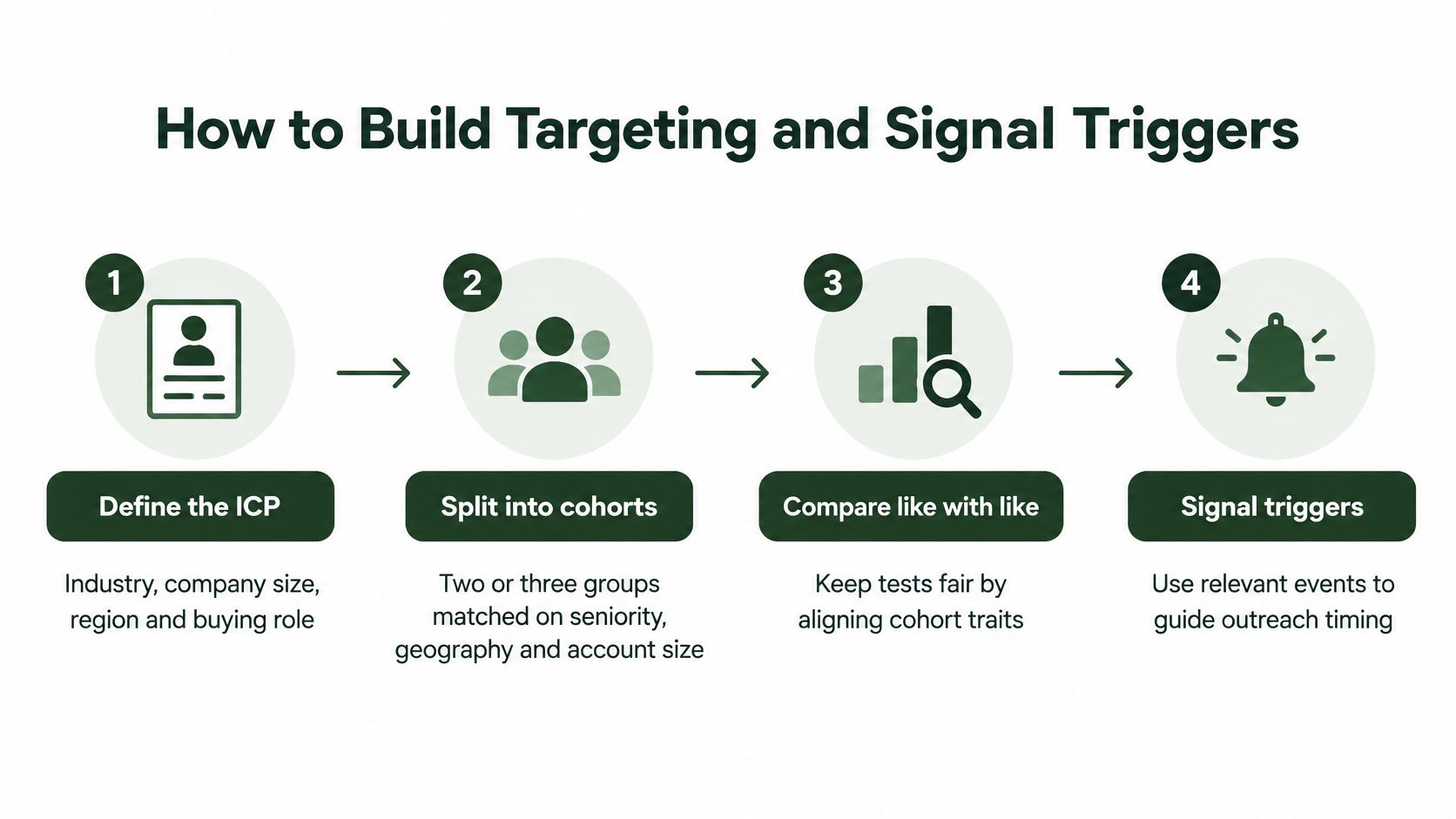
Build the list in five steps
Define the ICP first. Set industry, company size, region, and buying role, then split the result into two or three cohorts matched on seniority, geography, and account size. Matched cohorts let you compare like with like later. The common slip is building from broad job titles, which inflates connection accepts without producing pipeline.
Build from your CRM, then enrich. Start with accounts you already know something about and enrich contacts with Apollo so role, company, and contact details sit in your system. Keep country, language, time zone, and role vocabulary as fields on every record. Without them, regional relevance problems stay hidden until replies dry up.
Attach one trigger to each account. Use a hiring spike, funding round, product launch, market entry, or technology change. If your team lacks a signal source, Whitewhale can supply intent signals to prioritize accounts. The slip here is attaching a trigger nobody checked, so the message still reads as generic.
Score before you research. Score each account on trigger strength and ICP fit, then move only the top tier into manual research. Scoring protects rep time. Without it, your team spends equal effort on accounts with a live buying reason and accounts with none.
Review every profile by hand. A person checks each shortlisted profile before outreach and drops any account whose trigger is older than the window you've set. Stale triggers produce the messages prospects ignore, because the moment that made you relevant has already passed.
Our approach to building a target account list follows this same discipline of narrowing before you write anything.
A trigger you haven't verified isn't personalization. It's a guess with a date missing.
Your finished list should carry five fields on every row before a single message goes out:
Account: The company and named contact, with role confirmed.
Trigger: The specific event and why it creates a buying reason now.
Cohort: Which matched group the account belongs to for testing.
Owner: The person accountable for research, outreach, and replies.
Date observed: When you saw the trigger, so stale signals get dropped.
If a row is missing any of those, it isn't ready. Send it back to research rather than padding the cohort to hit a volume target.
How to Write Offers and Sequences That Read Human
Start with the offer, then write the sequence around it. The offer is built first, and the outreach sequences are then written around it, because a sequence can't rescue an unclear reason to reply. Before you write any message, define one buyer problem, one proof point, and one call to action.
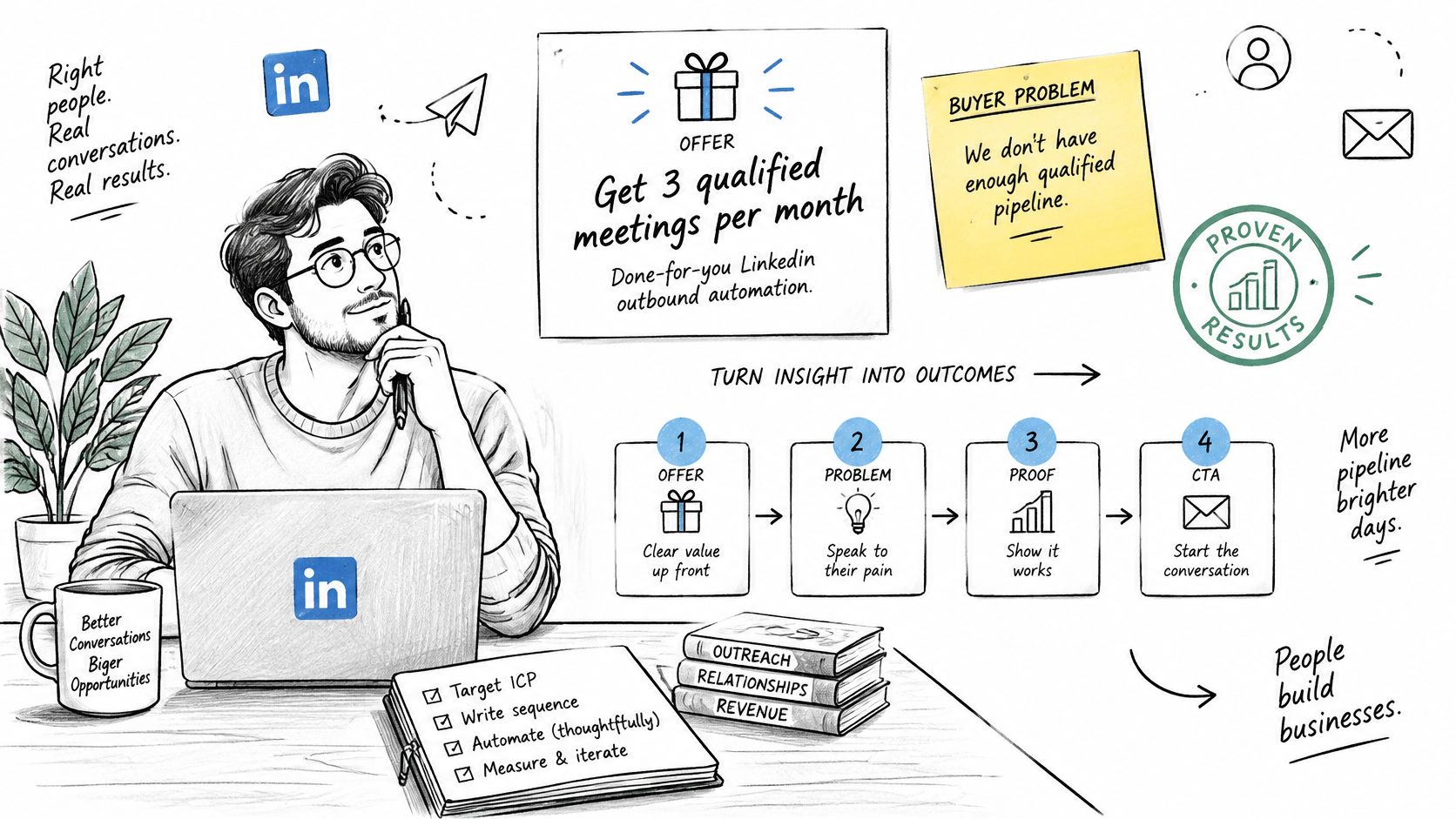
Our messaging process has four steps: offer definition, sequence design across LinkedIn and email, copywriting, and optimisation against live reply data. Each message should build on the one before it rather than repeat the same line. Repetition is what makes automated outreach feel automated, even when a person sends it.
Tooling won't separate you here. Outreach reported that in 2025, 74% of sales teams used technology to personalize and automate emails at scale. When teams share the same capability, relevance is the difference. Outreach is written for the right person at the right moment, not with mass personalisation tokens like a first name or company name dropped into a template.
An example sequence for a market entry trigger
Say a target account has just opened a regional office in APAC. That event gives every touch a concrete anchor:
Day 0: A connection note that names the new regional office and why you're reaching out now, nothing more.
Day 3: A follow-up with one proof point from a similar market, tied to the problem a new office usually creates.
Day 7: A short question with a single ask, so replying takes the prospect seconds.
Day 14: A closing note that invites a referral to whoever owns the problem, which keeps the door open without pressure.
Notice what each step does. It advances the conversation instead of restating the pitch louder. Our guide to writing a LinkedIn outreach message breaks down that structure at the individual message level.
The walkthrough below shows how that sequencing logic works in practice before you adapt it to your own cohorts.
AI-drafted copy still needs a human edit for each prospect. Check that the trigger is accurate, the proof point fits that account, and the ask matches the person's role. A draft that names the wrong office or a trigger from months ago costs more trust than a plain message would.
Before any sequence goes live, run this checklist. Every message names its trigger, carries one proof point, and makes one ask. No message repeats the previous one. If two touches could swap order without changing meaning, rewrite one of them.
Setting Up Sending Infrastructure and Vetting Tools
Set up the sending side before any volume goes out. Infrastructure decisions made after launch are the ones you can't trace when something breaks.
Five setup decisions to lock first
Assign one named owner per account and domain. Every LinkedIn account and every sending domain gets a single accountable person, with no shared logins. When a warning appears, you need to know exactly who acted and what they sent.
Vet tools against the stage map. Test any LinkedIn outreach tool, such as HeyReach, against the workflow stages and reject anything that sends, adds, or downloads contacts without human review. If you work with external data sources, you'll also need to handle LinkedIn API rate limits deliberately rather than retrying until something blocks you. Our review of LinkedIn outreach automation tools covers what to check during that vetting.
Use dedicated, warmed sending domains for email. Authenticate them and warm them with Instantly before any cadence goes live, keeping daily volume per mailbox low. Email carries part of the sequence, so its deliverability protects the whole program.
Keep enrichment in your CRM. Data from Apollo belongs in your own system. Don't let enrichment tools push data back into LinkedIn, where you lose control over provenance and consent.
Build the suppression list before batch one. Cover opt-outs, negative replies, and pending invitations, and check it before each batch. Contacting someone who already said no is the fastest way to earn spam reports.
Connecting a new tool to an existing account on day one mixes the tool's behavior with the account's history. When a restriction lands, you can't tell which one caused it.
I would pilot any new tool on a limited, reviewed workflow first. Expand only after you've watched its behavior against your pacing and suppression rules for a full cycle.
Pacing Invitations to Avoid Restrictions
The costliest event in LinkedIn outbound automation isn't a low reply rate. It's a restriction that stops prospecting entirely. The LinkedIn help page on invitation limits states that LinkedIn applies invitation limits to both Basic and Premium members, and exceeding them can temporarily restrict an account from sending further connection requests. That restriction typically lasts one week, withdrawing pending invitations does not remove it, and LinkedIn Support cannot shorten the waiting period.
Trigger | Consequence | Waiting Period | Your Control |
|---|---|---|---|
Sending above invitation limits | Temporary block on new connection requests | Typically one week; withdrawing pending invitations does not lift it | Keep daily requests below your warning threshold |
Many ignored, pending or spam-marked invitations | Restriction on sending new invitations | Up to one month when restricted for too many outstanding invitations | Withdraw stale invitations weekly and suppress unanswered prospects |
Multiple restrictions within one day | Further restrictions in a short window | Several days before sending again | Stop all sends after the first warning and review |
Unusual profile-view volume | Temporary limits on profile views | Until LinkedIn lifts the temporary limit after activity normalizes | Avoid bulk profile visits from extensions or scripts |
Detected third-party automation | Restriction, suspension or termination | Set by LinkedIn enforcement, up to permanent termination | Use only tools that keep each action human-reviewed |
Volume also isn't the only trigger. Invitations that get ignored, left pending, or marked as spam damage the account, which makes acceptance quality a pacing metric, not just a messaging one. Blocks compound in other channels too, and the Clearcote Labs guide to scraper blocks explains why aggressive automated collection gets shut down rather than slowed down.
Pacing rules to write into the playbook
Set a daily ceiling below your warning level. Use your own account history, not a number copied from a forum.
Spread sends across working hours. Bursts look automated because they usually are.
Withdraw stale pending invitations weekly. Old pendings signal low relevance to LinkedIn and to you.
Pause everything after any restriction notice. Don't test whether a second warning is worse.
Never run two sequences from one account at once. You lose control of total daily activity.
For example, a 60-account cohort paced at 20 new requests per day finishes in three working days. That leaves room for follow-ups without stacking invitations on top of message volume. On the email side, warm new domains and keep daily volume per mailbox low with Instantly, and align the email cadence with the LinkedIn cadence so neither channel overruns the other.
Close with one clear rule. A restriction notice stops all outbound from that account until a named owner signs off. Waiting a week is bad. Triggering a longer restriction because nobody paused is worse.
Routing Replies and Writing the Handoff Playbook
Every reply gets one owner and one label. That single rule prevents the most common failure in outbound, where a positive reply sits unread while the sequence keeps sending follow-ups to the same person.
Route by label, not by inbox order
Positive interest: Goes to a named rep inside a response window agreed with sales, and the rep takes over the conversation personally.
Referral: Goes to the account owner so the new contact enters the same cohort tracking instead of starting untracked.
Objection: Moves to a short nurture track that answers the stated concern, not a generic drip.
Neutral: Gets one follow-up that adds something new, then stops if there's no response.
Negative or opt-out: Ends the sequence immediately and suppresses the contact across every channel.
No response: Leaves the active sequence after the final touch and stays in the cohort for measurement only.
Require a human at high-value moments. The first meeting request, any pricing question, and any reply mentioning a competitor should never be answered from a template. Those are the moments where judgment converts or loses the opportunity.
Log every reply in the CRM with its trigger, cohort, message version, and label. Without those four fields, you can't tell whether a signal, a segment, or a specific message produced the result, and your next cohort starts from guesswork.
What the playbook must contain
Document the ICP and cohort definitions, sequence copy with version numbers, the pacing ceiling, label definitions, the escalation path after a restriction notice, a named owner for each step, and a weekly review agenda. The system should be tuned with real reply data before it's handed to a team that can run it. We build and run the outbound system for B2B teams, the client owns the system, and we train the client's sales team to run it so results continue after the build is done. Ownership includes the infrastructure, documentation, and playbooks, not just campaign access.
Readiness test: A new SDR who reads the playbook should be able to run one cohort for a week without asking the person who built it.
If they can't, the playbook is missing a decision. Find that gap during a quiet week, not during a restriction or a surge of positive replies.
Measuring Pipeline and Launching the Pilot
Measure the funnel, not the activity. The LinkedIn help page on unauthorized automation notes that unauthorized automation may violate the User Agreement and may also implicate privacy legislation in some jurisdictions, which is one more reason your pilot should run manually and cleanly from the start.

Create at least two tightly defined cohorts with comparable industry, seniority, geography, and account size. Hold the offer and call to action constant and vary one element, such as trigger specificity or proof. Execute a fixed weekly sample manually and classify every response as positive interest, referral, objection, neutral, negative, or no response.
Metric | Formula | What It Diagnoses |
|---|---|---|
Connection acceptance | Accepted requests ÷ delivered requests | Relevance of the target and the opening note |
Positive-reply rate | Positive replies ÷ accepted connections | Quality of the message after acceptance |
Qualified-conversation rate | Qualified conversations ÷ delivered requests | Whether the targeting holds up in real conversations |
Meeting rate | Held meetings ÷ delivered requests | Whether the program reaches a buying conversation |
Opportunity rate | Sourced opportunities ÷ delivered requests | Contribution to pipeline, the measure that matters most |
Treat connection acceptance as a vanity metric. Broad targeting can inflate accepts while generating no qualified conversations. Compare cohorts only after sufficient observations, report confidence intervals, and attribute results by signal, segment, message, and channel, with restriction events and access continuity on the same dashboard. Our guide to sales pipeline reports shows how to structure that view.
Watch for the pitfalls that invalidate results: scraping personal data without a lawful basis, exporting LinkedIn data into uncontrolled systems, repetitive messages, ignored objections, and confusing platform activity with revenue. Keep country, language, time zone, and role vocabulary as fields so regional problems stay visible in APAC and global programs.
For the pilot, choose one segment and set sample size and review date before the first send. Write the decision rule in advance. Scale the winning cohort only if its qualified-conversation and meeting rates hold with clean account health. If restrictions appeared, fix pacing first. If conversations were weak, fix targeting or the offer before touching volume.
Your outbound system can be live in about 3 weeks, with first outreach inside the first month, and our $500 one-time LinkedIn Starter plan is a done-for-you LinkedIn outbound setup covering LinkedIn only, without Email, Socials, SEO, Inbound, Newsletters, or Buying Signals. Book the first weekly review now, while the pilot design is still fresh.
On a discovery call, we show you how we'd find your buyers, build the system, and generate pipeline, with LinkedIn paced and measured as part of that system rather than run as a volume gamble. If you want LinkedIn outbound automation that protects your accounts and reports qualified pipeline instead of connection counts, visit The Social Search and book that conversation.
