How to Test Email Deliverability: A Complete 2026 Guide
Learn how to test email deliverability with a proven 4-step audit. Cover authentication, seed lists, inbox placement metrics, and remediation for B2B outbound.
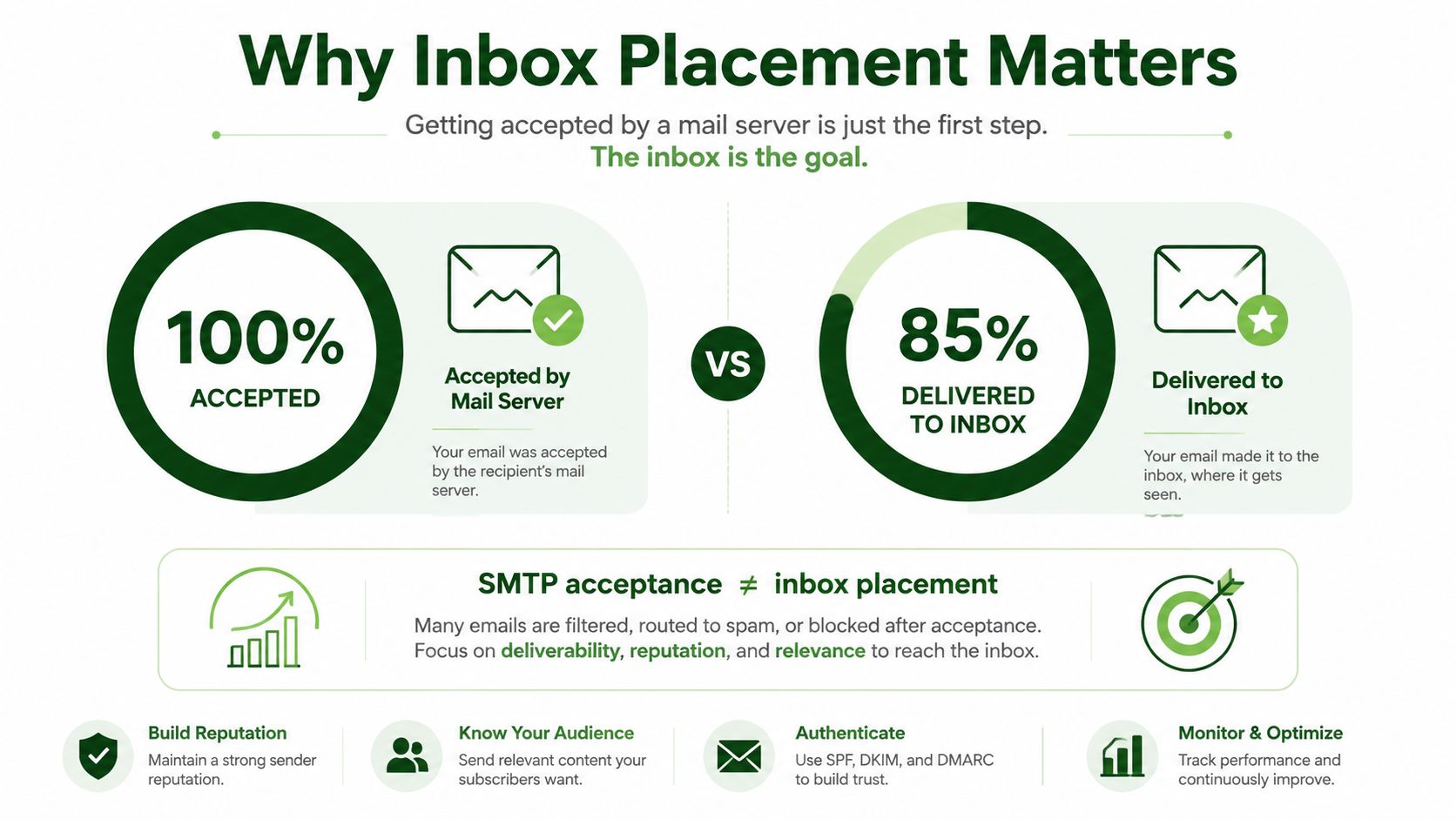
A message can be accepted by the recipient's mail server and still never appear anywhere the recipient can see. That's the gap most deliverability checks miss. In continuous testing, one benchmark reported only 66% of emails reaching a visible mailbox location, despite a Global Deliverability Health Score of 87/100 (Mailtester Ninja's benchmark summary). Testing email deliverability therefore means measuring more than bounces or SMTP acceptance. You need to know whether messages land in the inbox, go to spam, or disappear after acceptance.
For outbound teams, especially those selling across APAC and global markets, the practical workflow is straightforward: validate authentication, test the message through production-like infrastructure, segment results by provider and sender profile, then monitor the system continuously. Tools such as Instantly for cold email, warming, and sequencing can support the sending operation, but no platform can replace placement testing and diagnosis.
Table of Contents
Why Inbox Placement Is the Real Deliverability Test
The first mistake is treating “delivered” as the finish line. SMTP acceptance only tells you that the receiving system accepted the message for processing. It doesn't prove that Gmail, Outlook, Yahoo, or Apple Mail placed it in the primary inbox, and it doesn't prove that the message was shown to the recipient at all.
A useful deliverability model has three separate outcomes:
Inbox: The message appears in a visible inbox location.
Spam: The provider accepts the message but filters it away from the primary inbox.
Missing: The message is accepted, yet it doesn't appear in an observable mailbox location.
Validity's 2025 benchmark measured 87.2% inbox placement, 6.8% spam placement, and 6.0% missing mail (Validity's 2025 Benchmark Report). A separate 2026 industry report placed global inbox placement at around 66%, while another 2026 benchmark summary reported a global average of 87.2%, with Gmail at 89.8%, Yahoo at 87.3%, Apple Mail at 82%, and Microsoft at 77.4% (Unspam's email deliverability report). The figures differ because the methodologies, populations, and definitions differ. That disagreement is itself useful. A single universal deliverability number hides important variation.
Why provider segmentation matters
Mailbox providers don't apply identical filtering rules. A sender can see healthy placement at Gmail while struggling at Microsoft, or see different outcomes between regional and global audiences. The 2026 benchmark above reported materially different placement by provider, which means a global average is a poor operating metric for a campaign targeting a specific market.
Sender history matters as well. GlockApps' H1 2026 benchmark reported that Gmail inbox placement for long-tenured senders was 62.40%, while volume tiers moved in different directions. Senders sending 10–50K emails per month saw a 2% drop, while those sending 50–200K per month saw a 4% increase (GlockApps' H1 2026 benchmark). The lesson isn't that one tier is safe and another is dangerous. It's that volume, provider, and sender tenure change the test result.
Practical rule: Record inbox, spam, and missing outcomes separately. If your report has only “sent” and “delivered,” it's not measuring inbox placement.
This is why deliverability should be treated as a recurring measurement discipline, not a launch-day checkbox. A campaign can pass authentication today and still experience filtering changes after volume shifts, engagement changes, infrastructure changes, or complaint increases. Teams building a broader email marketing system should connect placement data to campaign, provider, and sender-level reporting.
Verifying Authentication Before You Send a Single Test
Seed testing a misconfigured domain creates misleading results. Before sending a message to a test inbox, verify that the live sending domain authenticates correctly and that the visible From domain aligns with the authenticated identity.
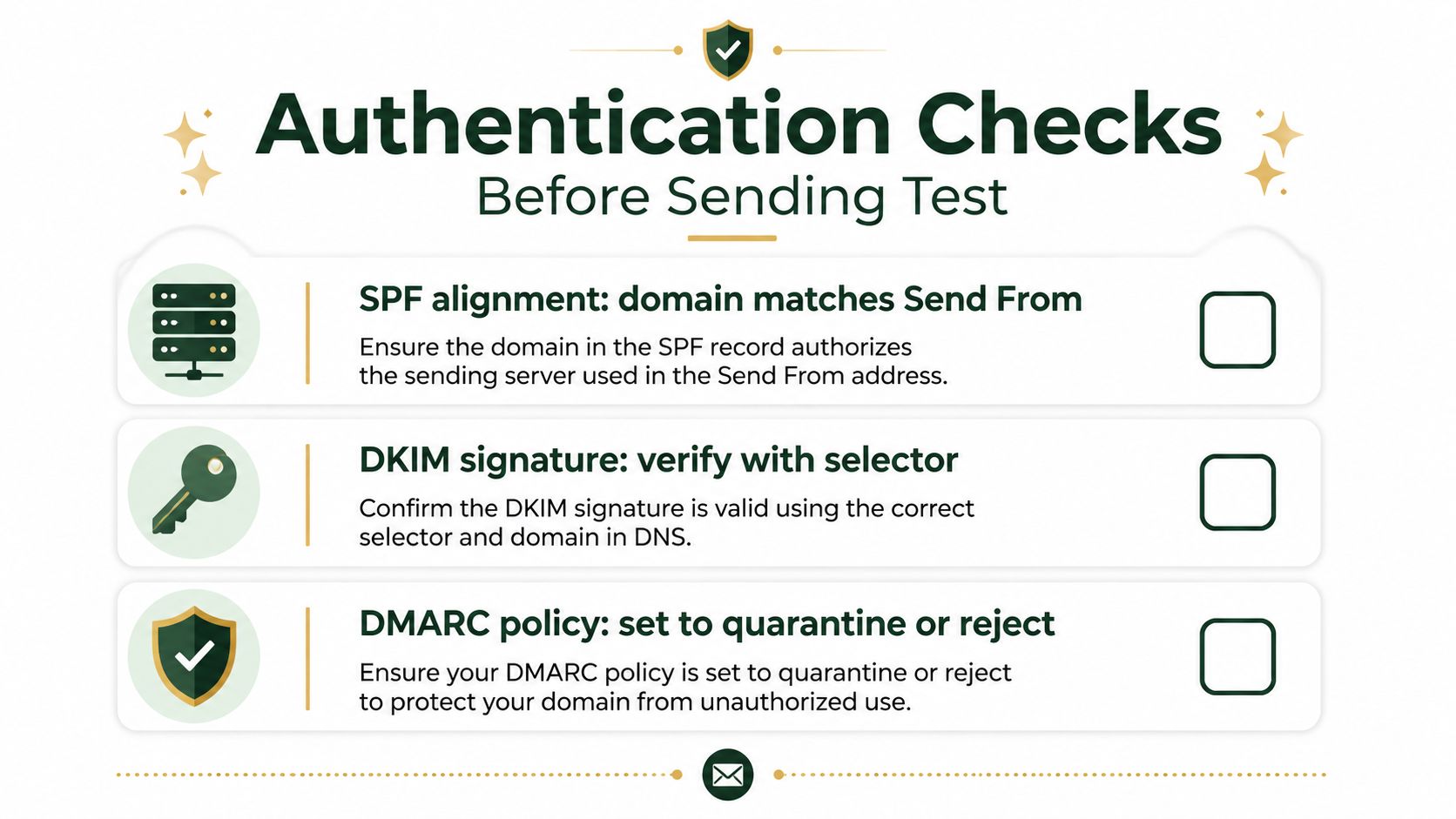
Fully authenticated domains using SPF, DKIM, and DMARC were 2.7 times more likely to reach the inbox than unauthenticated emails, according to 2026 benchmark reporting (email deliverability statistics from SHNO). The same source summarized a change from roughly 23–45% inbox placement without authentication to 82–92% with full SPF, DKIM, and DMARC using quarantine. Those figures aren't a guarantee for your campaign, but they show why authentication is the foundation rather than an optional enhancement.
Check SPF first
SPF identifies which sending services are permitted to send on behalf of the domain. Inspect the live record and confirm that every production sending service is represented. A common failure is having more than one SPF record, which can cause authentication failure rather than combining the records as the sender expects.
Don't validate only the marketing platform. Check the domain and subdomain that appear in the production envelope and headers. If your sequencing platform, CRM, and transactional provider send from different paths, each path needs to be accounted for.
Confirm DKIM with the active selector
DKIM signs the message and lets the receiving provider verify that the content came from an authorized sender. Send a real message through the production route, inspect the authentication results, and confirm that the selector used by the platform resolves correctly.
Broken selectors, stale DNS records, and signing from an unexpected subdomain are common causes of failure. A test that passes through one tool doesn't prove that every mailbox or sending path is signing correctly.
Validate DMARC alignment
Gmail and Yahoo's February 2024 sender rules require all senders to authenticate with SPF and DKIM. Bulk senders sending 5,000 or more messages per day to Gmail must also publish DMARC with at least p=none, pass DMARC alignment, provide one-click unsubscribe, and keep spam complaints below 0.3% (Gmail and Yahoo sender requirements).
Alignment means the domain in the From header must match either the SPF-authenticated domain or the DKIM-authenticated domain (DMARC alignment guidance from Valimail). Check the actual From header, not just the domain shown in your sending tool. Authentication can pass while alignment fails, which leaves DMARC unsuccessful.
Use email deliverability best practices as an operational checklist, but keep the diagnostic order technical: SPF, DKIM, DMARC, alignment, then content and placement.
Running Production-Like Seed Tests Across Mailbox Providers
A seed test only predicts production placement when the test message resembles the message you'll send. Sending a clean, plain email from a personal account tells you very little about a campaign that uses tracking, redirects, multiple links, custom headers, and a rotating sender setup.
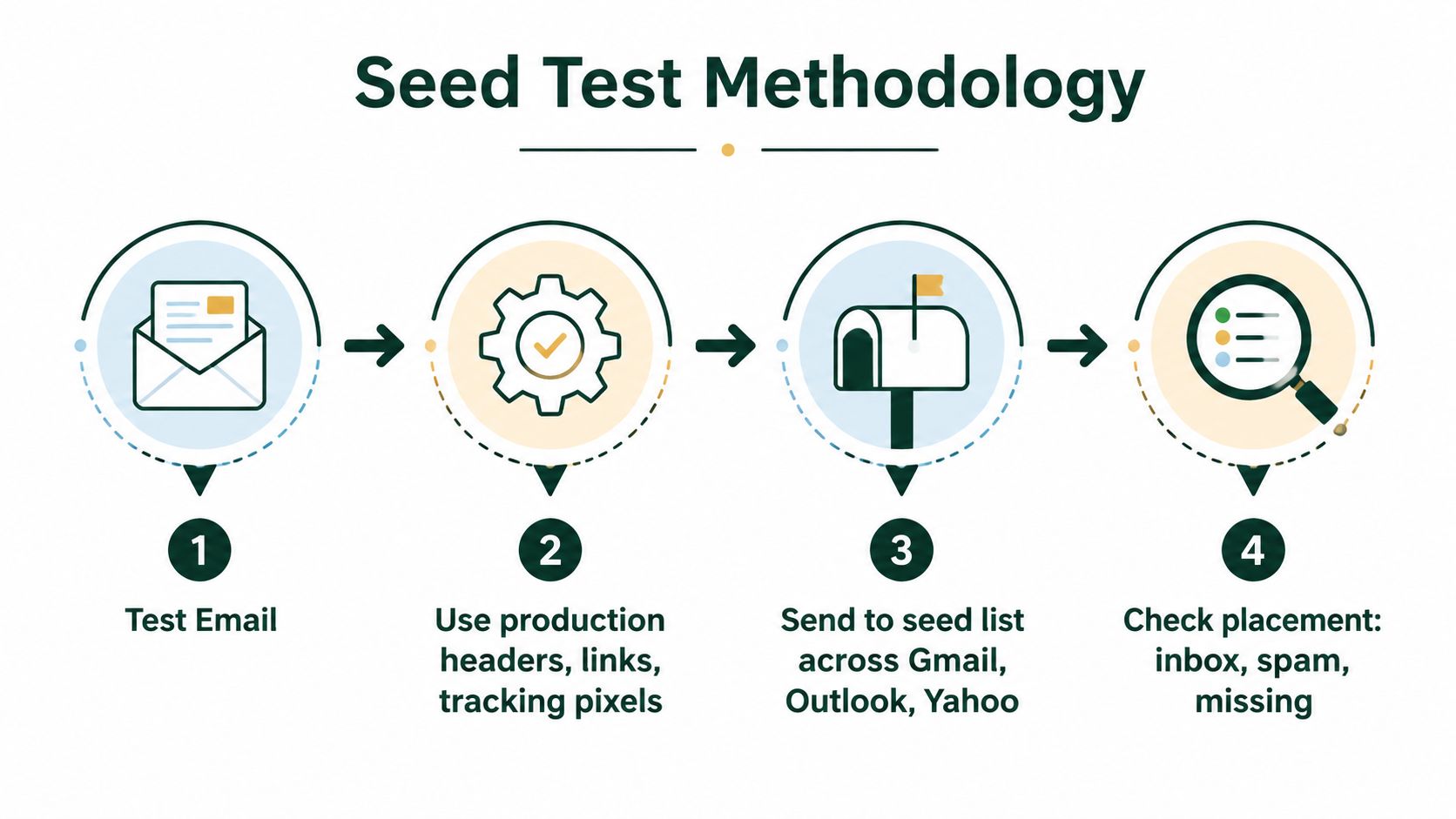
The reliable process has four parts:
Verify authentication on the live sending domain.
Run a spam and content check.
Send the final message with production headers, tracking, and links.
Measure placement across Gmail, Outlook, and Yahoo using a seed list.
Independent testing across 15 ESPs found an average deliverability rate of 83.1%, meaning roughly one in six messages still failed to reach the inbox even when successfully sent (Unspam's deliverability statistics). That result is why a test should measure the recipient experience rather than the sender dashboard.
Build a representative seed list
Use test accounts across the mailbox providers your audience uses. For APAC and global B2B campaigns, that usually means testing Gmail, Outlook, Yahoo, and Apple Mail rather than relying on one personal Gmail address.
Keep the results grouped by provider. Don't average everything immediately. If Gmail is healthy but Microsoft is poor, the remediation path differs from a broad failure across every provider.
Reproduce the sending conditions
Send the exact campaign variant, including:
Headers: Preserve the same From, Reply-To, and authentication path.
Tracking: Include the same tracking pixels and redirect behavior used in production.
Links: Use the same domains and URL structure.
Infrastructure: Send through the same ESP, mailbox, domain, and sequence configuration.
Timing: Test at the same sending pattern you intend to use, rather than sending an isolated message from a different setup.
A seed list can still create false confidence if the test is unusually clean. Personal accounts often have different history, engagement, and traffic patterns from the mailboxes receiving cold outbound. Treat seed testing as directional evidence, then compare it with live campaign signals such as bounces, replies, complaints, and provider-specific placement.
Segment by volume and tenure
Don't report only “the campaign delivered at X.” Store the sending volume tier and sender age beside each result. GlockApps' 2026 benchmark showed that overall average inbox rates increased 6% year over year, while different volume tiers moved in opposite directions (GlockApps' H1 2026 benchmark). That variation makes segmentation more useful than chasing a generic benchmark.
For teams developing a repeatable cold email system, the minimum useful report includes provider, sender domain, mailbox age, volume tier, campaign version, inbox result, spam result, and missing result. A test that isn't reproducible isn't a test you can operate.
Choosing the Right Deliverability Testing Tools
The right stack depends on what you're trying to learn. A spam checker can flag content risks, but it can't show whether Gmail displayed the message. An authentication validator can identify DNS problems, but it can't tell you how a long-tenured sender performs at a specific volume. Seed testing, reputation monitoring, and campaign operations solve different problems.
Tool Category | Best For | Key Capability | Volume Fit |
|---|---|---|---|
Authentication validator | Every sending team | Checks SPF, DKIM, DMARC, and alignment | Any volume |
Spam and content checker | Teams reviewing campaign variants | Flags message structure, links, and content risks | Any volume |
Seed-list platform | Teams measuring actual placement | Separates inbox, spam, and missing outcomes by provider | Low to high volume |
Reputation monitor | Established outbound programs | Tracks sender health and provider signals over time | Medium to high volume |
Sending and sequencing platform | Cold outbound operators | Manages mailboxes, sequences, sending controls, and warming workflows | Best when tied to live campaigns |
Match the tool to the question
For a low-volume team, start with authentication validation, content checking, and a provider-diverse seed test. Don't buy an elaborate monitoring suite before you can explain which decision the extra data will change.
For a larger sender, continuous monitoring becomes more valuable because problems can develop between scheduled tests. Track results by domain, mailbox, provider, and volume tier, and connect them to campaign changes. A dashboard that merges every sender into one score can hide the mailbox that is failing.
Instantly fits the operational layer for cold email, warming, and sequencing. It shouldn't be treated as proof of inbox placement by itself. The platform can help control the sending process, while independent seed tests tell you what providers do with the resulting messages.
Operational insight: Use one tool to send, another to observe, and your reporting layer to connect the two.
Content quality still matters more than tool count. Teams evaluating automation should focus on qualified targeting, relevant messages, stable sending behavior, and measurable replies instead of chasing AI-generated volume. This perspective is useful in ditch AI email hype for results, particularly when a campaign has activity but weak recipient engagement.
The Social Search works in this operating layer by connecting ICP definition, data, messaging, sending infrastructure, and pipeline reporting for B2B teams selling into APAC and global markets. Other useful tools may sit beside deliverability testing, such as Apollo for data enrichment and Trigify for social signals, but they should improve audience quality and timing, not substitute for inbox-placement evidence. A broader view of email delivery platforms can help teams separate transport, sequencing, and monitoring decisions.
Diagnosing and Fixing Deliverability Drops
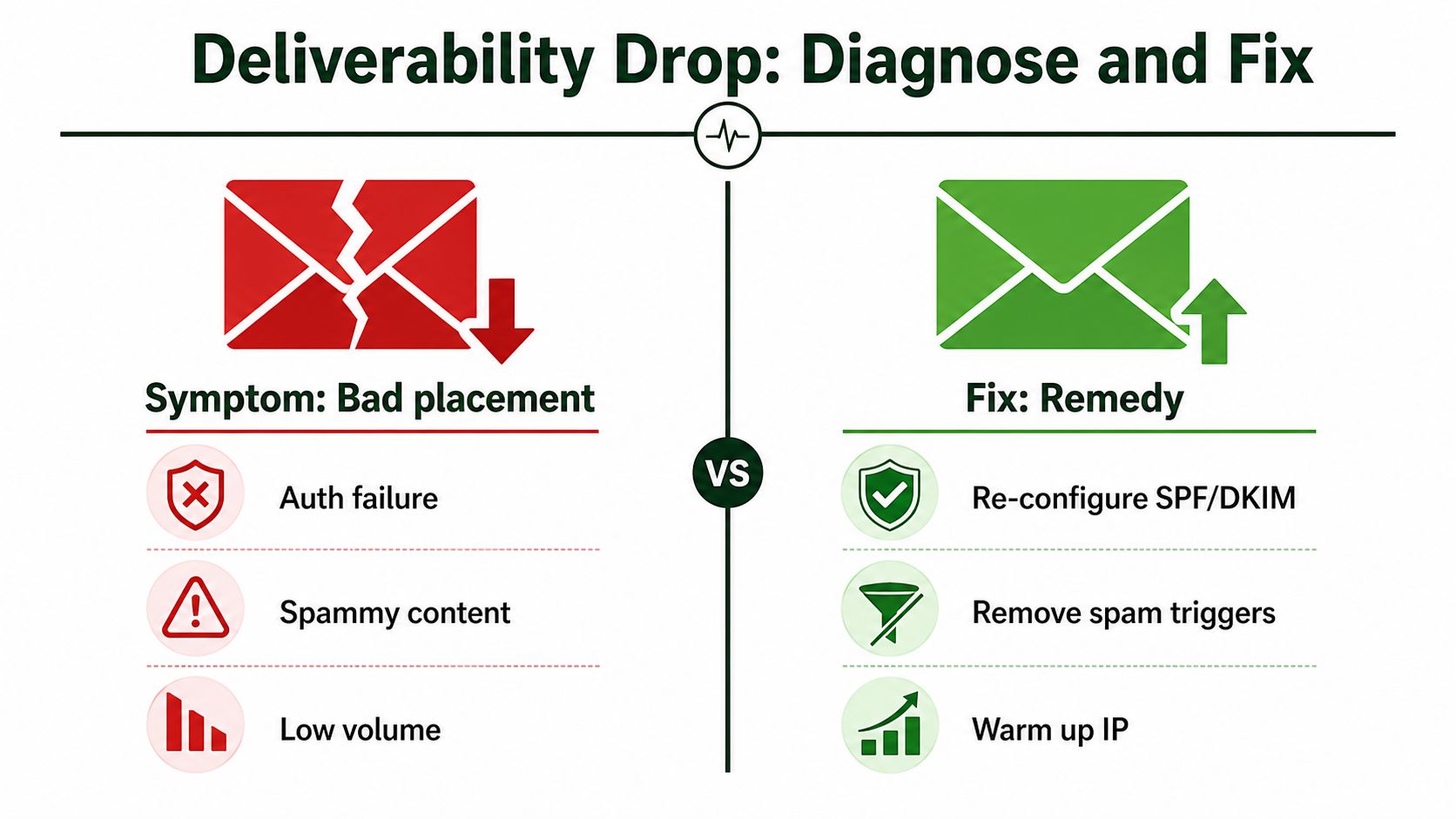
A poor seed result is a symptom, not a diagnosis. Start by asking where the message went. Spam placement means the provider accepted and classified it. Missing mail means you can't find it in a visible mailbox location, which points to a different investigation. Treating both outcomes as “spam” sends the team toward the wrong fix.
Match the failure to the likely cause
Authentication failure: Recheck SPF, DKIM, DMARC, and From-domain alignment on the exact sending path. Don't edit copy until the identity layer passes.
Spam placement across one provider: Compare that provider's result with Gmail, Outlook, Yahoo, and Apple Mail. A provider-specific problem may involve reputation, content, or sender history rather than a universal configuration error.
Missing mail after acceptance: Verify the seed account, search all mailbox folders, inspect message headers, and repeat the test. Missing mail deserves its own tracking category because it can be materially different from visible spam.
Placement decline after a volume change: Stabilize the sending pattern, reduce abrupt increases, and retest with the same campaign. Volume anomalies can create filtering even when authentication remains intact.
Complaints increasing: Tighten targeting, make the offer more relevant, honor unsubscribe requests, and stop sending to contacts who clearly don't want the message.
Yahoo advises senders to keep spam rates below 0.3%, while Gmail guidance cited by industry sources recommends aiming below 0.10% and avoiding sustained rates at or above 0.30% (Yahoo Sender Hub best practices). These are operating thresholds, not targets to approach casually. If complaints rise, pause the campaign and identify the list, message, provider, and sender combination responsible.
Retest one change at a time
Changing copy, volume, domain, infrastructure, and audience simultaneously destroys the evidence. Make the highest-confidence technical fix first, then rerun the same production-like seed test. If authentication passes but spam placement persists, test a simplified message with fewer links and less aggressive language. If the simplified variant improves at one provider, content is a stronger suspect than DNS.
Warm-up and stable sending patterns may help new or recently changed infrastructure, but warming isn't a cure for poor targeting or unwanted outreach. Review the relevant email marketing laws and compliance considerations before increasing volume or changing consent and unsubscribe practices.
Building a Continuous Deliverability Testing Cadence
A workable cadence is simple enough for a revenue team to own. Run a seed test before a new campaign or major message change, recheck authentication after any domain, ESP, mailbox, or DNS change, and investigate immediately when provider-specific placement drops.
Track inbox, spam, and missing outcomes by mailbox provider, sender domain, volume tier, sender tenure, campaign version, bounce activity, replies, unsubscribes, and spam complaints. Review the operational dashboard weekly, then use a deeper monthly review to compare domains, providers, and campaign patterns. Don't replace placement data with open rates. Opens can be affected by tracking behavior and aren't a direct record of visible inbox placement.
Retest after a sudden volume shift, infrastructure migration, new tracking domain, authentication change, or complaint increase. The goal isn't to achieve one permanent score. It's to know which sender, provider, and campaign combination is healthy today, and to catch deterioration before it becomes a pipeline problem.
The Social Search designs and operates outbound systems that connect ICP, data, messaging, sending infrastructure, deliverability, and reporting for B2B teams selling into APAC and global markets. Visit The Social Search to discuss a deliverability-aware outbound system your team can own and improve.
