Cold Email Infrastructure Build Guide
Master cold email infrastructure with this technical guide. Learn domain portfolio design, authentication, deliverability, and system handover for B2B outbound.
Most cold email infrastructure advice starts with the wrong question: Which mailbox provider should I use, and how do I warm up the inboxes? Those details matter, but they're not the operating model. A single-domain setup concentrates reputation risk, makes recovery painful, and turns one bad campaign into a business email problem.
A resilient system treats domains, mailboxes, authentication, data, sequencing, monitoring, and handover documentation as one operational layer. The aim isn't to send more indiscriminately. It's to give a B2B team enough separation, visibility, and control to scale relevant outreach without gambling with its primary domain.
For sequencing and deliverability operations, Instantly is one practical option because it combines campaign management, mailbox rotation, and warmup workflows. It still won't rescue poor targeting or weak list hygiene. Software can execute the system, but it can't compensate for sending irrelevant messages to unverified contacts.
Table of Contents
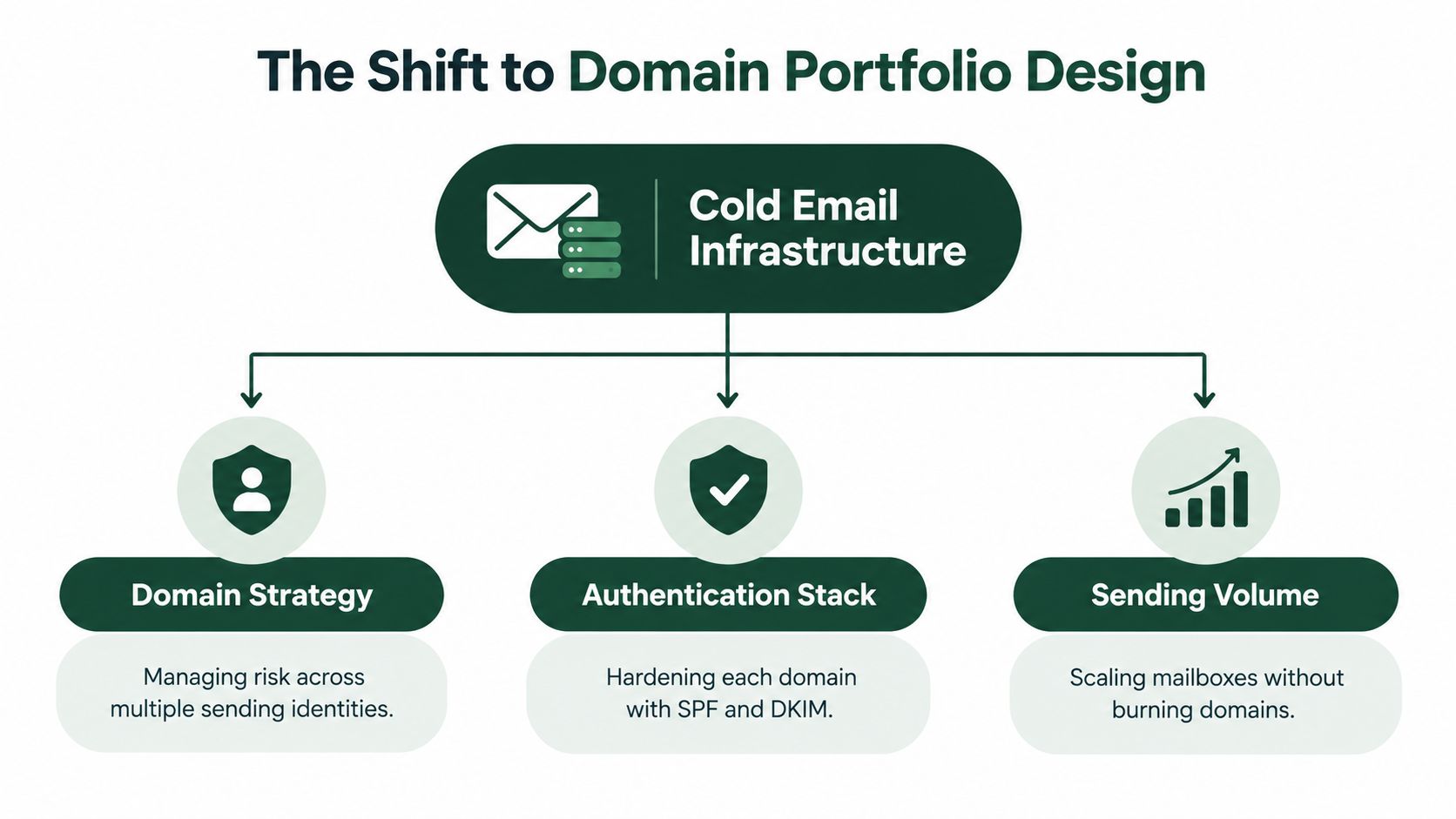
The Shift to Domain Portfolio Design
The popular single-domain model sounds efficient. Buy a secondary domain, create a few mailboxes, connect a sequencer, complete warmup, and increase volume. That approach works only while the sending identity stays healthy. Once reputation deteriorates, the team often has no clean fallback, no isolated recovery path, and no safe way to keep campaigns running.
A domain portfolio spreads that exposure. Current practitioner guidance increasingly points toward 3 to 8 dedicated sending domains, with 2 to 4 mailboxes per domain and 25 to 50 emails per mailbox per day, alongside verification from two services and active health monitoring, as outlined in recent deliverability guidance on domain diversification. Those figures aren't a universal quota. They're an architectural reference for distributing risk instead of treating one domain as an unlimited pipe.
Separate the corporate identity
Your primary corporate domain should handle customer communication, employee mail, support, billing, and other business-critical traffic. Cold outreach belongs on dedicated domains that clearly represent the same business without becoming a dependency for every internal workflow.
That separation creates room to pause one campaign without disrupting normal correspondence. It also makes diagnosis cleaner. If a sending domain develops a problem, the team can isolate the affected pool, inspect the relevant campaign and records, and route approved traffic elsewhere.
Domain selection still requires judgment. A secondary domain should be credible, readable, and clearly connected to the business. Lookalike domains, awkward abbreviations, and disposable-looking names create trust problems before deliverability systems even evaluate the message.
Practical rule: Build the recovery path before you need it. A backup domain that hasn't been authenticated, staffed, monitored, or documented isn't a backup.
Design the portfolio as an operating system
Each domain needs an owner, a purpose, a mailbox inventory, a campaign assignment, and a retirement or recovery status. Don't let every salesperson choose a domain or mailbox independently. That creates inconsistent authentication, overlapping audiences, and unclear accountability.
A useful portfolio register includes:
Domain identity: Record the registrar, business purpose, status, and person responsible for changes.
Mailbox map: Associate each mailbox with its sender, campaign pool, reply owner, and current sending state.
Risk boundaries: Define the point at which a campaign pauses, a domain is isolated, or traffic moves to a healthy pool.
Recovery paths: Keep an approved alternate domain and a documented reassignment process, rather than improvising during a deliverability incident.
This is why a comparison of email delivery platforms should include operational controls, not just inbox pricing or warmup features. The platform must support the way your portfolio is managed.
The portfolio approach also changes how teams think about volume. You don't ask how much one mailbox can tolerate. You ask how much relevant, verified traffic the entire healthy pool can carry while preserving reply handling, complaint control, and monitoring capacity. That is a risk-management problem, not a mailbox purchasing exercise.
Executing the Core Authentication Stack
Authentication isn't a finishing touch added after a campaign is ready. It belongs in the provisioning checklist, before a mailbox sends its first prospecting message. The core stack has three parts: SPF authorizes sending servers, DKIM adds a cryptographic signature that helps verify message integrity, and DMARC tells receiving systems what to do when authentication fails, as described in this technical breakdown of the cold email authentication stack.

Build in the right sequence
Start at the DNS layer and establish who controls each domain. Then configure SPF for the services that are authorised to send. Keep the record coherent as tools change. Multiple disconnected sending systems and careless record edits make troubleshooting harder.
Next, enable DKIM through the mailbox or sending provider and confirm that outgoing messages carry a valid signature. DKIM protects the message's integrity in transit, but a valid signature alone doesn't prove that the visible From address represents the same sending organisation.
That relationship is where DMARC alignment matters. The visible From domain should align with the authenticated infrastructure, so receiving systems can evaluate identity consistently rather than seeing unrelated domains stitched together by a campaign tool.
Start with visibility, then enforce
DMARC should begin in monitoring mode, using a p=none policy while the team observes aggregate reports and identifies legitimate senders. This isn't permission to ignore failures. It gives operators a controlled period to find forgotten systems, forwarding behaviour, and misaligned services before enforcement affects valid mail.
Once legitimate traffic is accounted for, the team can consider stronger enforcement, such as quarantine or reject, based on its risk tolerance and reporting quality. The decision belongs to the domain owner, not the sequencing vendor.
Advanced controls deserve sequencing too. MTA-STS and TLS-RPT can harden transport security and improve visibility into encrypted delivery paths. BIMI and a verified mark may support brand presentation, but they're primarily branding layers. For pure B2B cold outreach, they're optional and usually lower priority than authentication, alignment, data quality, and complaint monitoring.
Use an independent email deliverability testing workflow before launch and after meaningful configuration changes. Test the actual From identity, the actual mailbox provider, and the actual tracking or reply path. A green DNS checker isn't enough if replies fail, alignment breaks, or the campaign uses a different sending service than the one tested.
Navigating Bulk Sender Rules and Volume Limits
The 2024 changes from Google and Yahoo made high-volume sending more conditional. Enforcement began on February 1, 2024, and rejection of non-compliant traffic started in April 2024, according to Mailgun's account of the bulk-sender requirements.
For senders reaching roughly 5,000 or more messages per day to personal Gmail or Yahoo inboxes, the requirements included SPF, DKIM, and DMARC with at least a p=none policy, one-click unsubscribe, and a spam complaint rate below 0.3%, with 0.1% described as the preferred ceiling. These thresholds apply to the relevant traffic and provider context. They shouldn't be treated as a universal licence to send that volume from every domain.
Calculate capacity from healthy assets
Portfolio capacity is the sum of healthy mailboxes, not the theoretical maximum shown in a vendor dashboard. A simple planning model is:
Healthy domains × mailboxes per domain × approved daily messages per mailbox
Then reduce that capacity for warmup traffic, reply-handling limits, campaign pauses, and any segment that carries higher complaint or bounce risk. If a domain is under investigation, its capacity is zero for planning purposes. Don't count compromised infrastructure because the spreadsheet says it exists.
Gradual ramp-up matters because new domains and mailboxes have little sending history. Start conservatively, observe delivery and replies, then increase volume only when the data supports it. A sudden jump creates a reputation event that authentication can't repair on its own.
One-click unsubscribe also needs operational support. The header is only useful if the suppression process works immediately across every campaign and mailbox. A prospect who opts out should not reappear through another list, another sender, or a later enrichment refresh.
Keep the legal identity clear
Technical deliverability and legal compliance overlap, but they aren't interchangeable. The U.S. FTC says CAN-SPAM requires commercial email headers to be accurate and not misleading, including the From, To, Reply-To, and routing information. The originating domain and email address must identify the person or business that initiated the message, as stated in the FTC's CAN-SPAM compliance guide.
Use a real reply mailbox, monitor it, and make the sender identity understandable. Don't hide behind a generic alias that no one owns. Commercial outreach also needs a functioning opt-out path and suppression discipline. Teams should review the requirements that apply to their markets rather than assuming mailbox-provider acceptance equals legal compliance. A practical email marketing law reference helps keep that review connected to the campaign process.
Integrating Data Enrichment and Sequencing Platforms
A sending pool can pass every technical check and still underperform if it contains stale contacts, poor-fit accounts, or messages without a credible reason for contact. Data quality is part of deliverability. Irrelevant outreach drives negative replies, complaints, and unsubscribes, creating avoidable pressure on the sending system.
Begin with the account definition. Enrich only the fields that change routing or messaging, such as role, geography, company situation, technology context, and a verifiable trigger. Collecting every available field adds maintenance without improving targeting if the team does not use the information. Use a documented lead generation and list building workflow to define fit, evidence, and suppression before any contact enters a sequence.
Assign each platform a clear job. Apollo can support prospect discovery and enrichment. Trigify can add social signals, including relevant activity, while Whitewhale can help identify accounts that warrant different prioritisation. Keep a field only when its output changes who gets contacted, when contact occurs, or what the message says.
Create a filter before a sequence
Every lead should pass an explicit gate before entering a campaign:
Identity check: Confirm that the person, role, company, and email address belong together.
Fit check: Remove accounts outside the defined market, geography, or use case.
Evidence check: Require a useful trigger or a reason the message is timely.
Suppression check: Exclude prior opt-outs, inappropriate outreach to existing customers, duplicates, and contacts already active in another sequence.
Two independent verification services can catch different errors, but verification does not establish relevance. A valid address may still belong to the wrong person, an unsuitable account, or someone who should not be contacted.
Use the operational baseline described in ZoomInfo's guidance on whether cold email is spam: authenticate each sending domain with SPF, DKIM, and DMARC, begin DMARC in monitoring mode, verify alignment, complete setup before campaigns start, ramp volume gradually, and maintain a real reply mailbox. These controls support the system, while the filter determines whether a message deserves to be sent.
Make sequencing respond to signals
Routing should change as prospect information changes. Relevant social activity can justify a more contextual first touch. An account showing intent can enter a higher-priority queue. A failed verification result should stop the contact before it reaches the sending layer.
Instantly can manage mailbox rotation and sequencing, but the rules should live in a documented operating model rather than one person's account. Record which signals trigger a campaign, which events pause it, who handles replies, and how suppression propagates across channels.
Good infrastructure limits careless sends and reserves human attention for prospects with a defensible reason to respond. That makes the system easier to transfer between operators without rebuilding campaign logic from memory.
Monitoring Health and Documenting for Handover
A domain can pass every authentication check and still perform badly. Operators need to watch inbox placement, bounce behaviour, replies, complaints, unsubscribes, and sending patterns as separate signals. Open rates deserve less authority because automated scanning and privacy features can distort them. Replies and qualified meetings tell you more about whether the system is reaching the right people with a useful message.
For 2026 benchmarking, the Instantly cold email benchmark report lists an average reply rate of 3.43%, a top-quartile reply rate of 5.5%, and elite campaigns exceeding 10%. The same source associates healthy operations with inbox placement at 95% or higher and bounce rates below 1.5% to 2%. Treat those figures as reference points, not promises. A campaign can achieve a strong reply rate from a small, highly relevant segment while a broad campaign produces weak outcomes despite clean technical settings.
Set up health controls
Monitor each domain and mailbox separately. Portfolio averages can hide a damaged sender because healthy assets dilute the signal.
Signal | What to inspect | Operational response |
|---|---|---|
Inbox placement | Whether test messages reach the intended inbox location | Pause expansion and inspect the affected pool |
Bounce rate | Hard bounces and patterns by source or segment | Stop the source, reverify the list, and suppress failures |
Reply rate | Positive, negative, neutral, and automated replies | Review relevance, offer, and routing |
Complaints and unsubscribes | Provider feedback and opt-out behaviour | Stop the campaign and audit targeting |
Authentication reports | Alignment failures and unexpected senders | Correct records or remove unauthorised services |
Automated rules should prevent a weak domain from continuing to receive the same workload. If one pool degrades, pause it, preserve the evidence, and route only approved traffic to healthy backups. Don't hide the issue by rotating through every available mailbox. That spreads contamination instead of containing it.
Document for someone who wasn't in the room
Handover documentation should let an internal sales team operate the system without relying on the builder's memory. Record the domain portfolio, provider ownership, mailbox assignments, authentication status, verification process, suppression rules, campaign logic, reply categories, and escalation thresholds.
Include a change log. Note who changed a record, why the change happened, and how the team validated the result. Store credentials in the company's approved password manager, not in a private spreadsheet or a contractor's browser.
A useful handover pack contains:
Architecture map: Domains, mailboxes, providers, campaigns, and fallback relationships.
Runbook: Provisioning, launch, pause, recovery, and retirement procedures.
Data rules: Required fields, verification stages, suppression logic, and refresh ownership.
Reporting view: Definitions for inbox placement, bounces, replies, meetings, complaints, and unsubscribes.
Ownership matrix: The person responsible for DNS, campaigns, replies, compliance, and incident decisions.
The system is complete only when another operator can diagnose a problem, pause risk, and resume normal work without calling the original builder.
Diagnosing and Fixing Deliverability Drops
A sudden drop usually creates the wrong instinct. Someone changes the subject line, increases warmup, or moves traffic to every available mailbox. That response destroys evidence. The first job is containment and diagnosis.
Consider a domain that showed normal delivery, then began producing fewer replies while bounce and complaint signals rose. Pause new sends from that domain, preserve the campaign version, and compare the timing against recent list imports, copy changes, mailbox additions, and provider notifications.
Follow the evidence
Start with DMARC aggregate reports. Look for unauthorised senders, alignment failures, and a change in the share of messages passing authentication. DMARC became much more common during 2024. One deliverability study reported adoption rising from 42.6% in 2023 to 53.8% in 2024, while other reporting described monthly new-domain adoption volumes increasing from 55,000 to 110,000 during that period, as detailed in Mailgun's email authentication analysis.
Then inspect the campaign itself:
Confirm the affected scope: Check whether the drop affects one mailbox, one domain, one provider, or the whole portfolio.
Audit recent data: Review the newest list source, verification result, role mix, and duplicate suppression.
Review sending behaviour: Look for sudden volume changes, uneven rotation, or a sequence that continued after replies and opt-outs.
Check reputation indicators: Review blocklist status, placement tests, authentication reports, and provider-specific feedback.
Choose the smallest safe intervention: Fix the identified cause before changing unrelated infrastructure.
The deliverability failure troubleshooting guide is useful as a reference, but the operating principle is simple: don't treat every drop as a DNS problem. Poor targeting, a contaminated list, an oversend, and a broken suppression workflow can produce similar symptoms.
Recover without spreading the damage
Keep the affected domain paused while the team verifies the cause. Re-warm a mailbox only after the underlying issue is resolved and the account has a clean operating plan. If the domain has persistent reputation damage and recovery doesn't restore acceptable performance, retire it from active prospecting and use a documented replacement path.
A fallback domain should never inherit the same problematic list or sequence automatically. Move only verified contacts, reviewed messaging, and approved traffic. Record the incident, the evidence, the decision, and the remediation so the next operator doesn't repeat the same experiment.
A strong cold email infrastructure isn't defined by never experiencing a drop. It's defined by detecting problems early, containing them to the smallest possible unit, and giving the team a clear, documented route back to healthy operations.
The Social Search designs and operates outbound systems that connect ICP definition, data enrichment, messaging, sending infrastructure, deliverability management, routing, and reporting for B2B teams. If you need a documented cold email infrastructure that your internal team can own and run, visit The Social Search to discuss a system build or fractional GTM support.
