Email Deliverability Problems: A Fix-It Guide
Fix email deliverability problems once and for all. This guide covers root causes, diagnostic tools, and step-by-step remediation to protect your reputation.
One in six messages failed to reach the inbox globally in 2024. Inbox placement fell from 84.8% in 2023 to 83.5% in 2024 as mailbox providers tightened filtering and authentication requirements.
That decline changes how B2B teams should think about email deliverability problems. A receiving server can accept a message while the mailbox provider sends it to spam, places it in a low-visibility folder, or effectively fails to deliver it to the recipient's inbox. A campaign can therefore show a healthy delivery rate while producing weak replies, fewer meetings, and no obvious error in the sending platform.
The practical answer is to treat deliverability as a diagnostic isolation problem. Authentication is the baseline, but it won't tell you whether a list, vendor, campaign, domain, message, or sending pattern caused the decline. Teams need a system that connects technical signals to pipeline outcomes.
For outbound teams that need a practical sending environment, Instantly for cold email, warming, sequencing, and deliverability management can support the operational layer. The tool won't replace diagnosis, list discipline, or complaint monitoring, but it can make sending identities, sequences, and volume easier to separate.
Table of Contents
Why Email Deliverability Problems Feel Invisible
In 2024, global inbox placement averaged 83.5%, down from 84.8% in 2023. 6.7% of messages landed in spam, and 9.8% did not reach the recipient's inbox, according to MailMend's deliverability statistics. Roughly one in six messages therefore missed the inbox, even when the sending platform reported them as accepted or delivered.
SMTP acceptance and inbox placement measure different events. A receiving server can accept a message, while the mailbox provider routes it to spam, another folder, or a location the recipient rarely checks. Filtering decisions can reflect authentication, sender reputation, complaint behavior, list quality, message relevance, and provider-specific rules.
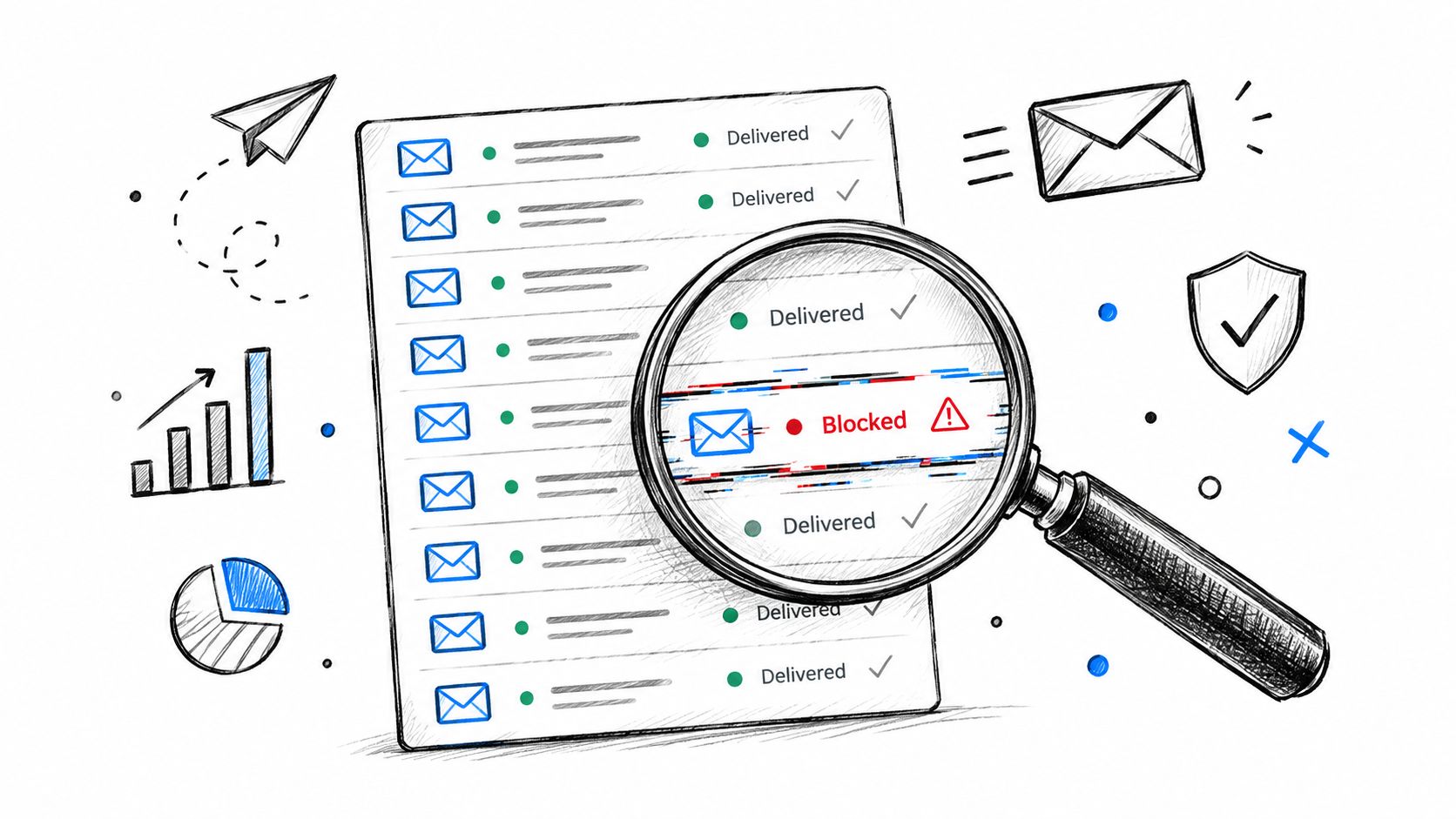
Acceptance isn't visibility
Provider-level results expose problems that an aggregate dashboard can hide. Gmail recorded an 87.2% inbox rate, compared with 75.6% for Microsoft mailboxes. Microsoft also classified 14.6% of messages as spam, while another 9.8% were effectively missing, according to the same MailMend dataset. A sender reviewing only the combined result could miss a Microsoft-specific decline.
The pattern worsened during the year. Spam placement nearly doubled from 4.5% in the first quarter to 8.6% in the fourth quarter, per that dataset. A sequence can therefore lose visibility even when its copy and targeting remain unchanged, because complaint signals or provider filtering become less tolerant.
For an SDR operations lead, three measurements need separate treatment:
Server acceptance: The receiving infrastructure accepted the message.
Inbox placement: The provider routed the message to a folder the recipient may see.
Commercial visibility: The prospect noticed, trusted, and acted on the message.
A high acceptance rate proves only the first point. This email marketing metrics guide helps separate delivery, opens, replies, and downstream outcomes rather than combining them into one number.
Deliverability is a pipeline variable
B2B teams often test subject lines or offers before confirming that prospects saw the message. That sequence wastes testing capacity. In a multi-domain, multi-platform outbound program, a decline may come from one sending identity, provider, campaign, list segment, or vendor.
Break reporting down by domain, provider, campaign, sending identity, bounce type, complaint event, and unsubscribe timing. These dimensions let the team isolate the source of the noise instead of reacting to a blended average.
Practical rule: Never make a copy decision from an aggregate delivery rate while provider-level inbox placement is deteriorating.
The remedy depends on the isolated cause. A bad list calls for suppression and data review. A platform issue calls for a vendor audit. A compromised subdomain requires a security investigation. A sudden complaint spike warrants an immediate pause, not another round of copy testing.
Authentication Answers Who, Not Whether
Authentication identifies which systems may represent a domain. It does not show that recipients expect or value the message. Mailbox providers therefore combine technical identity with recipient behavior, making authentication one diagnostic layer in a broader deliverability investigation.
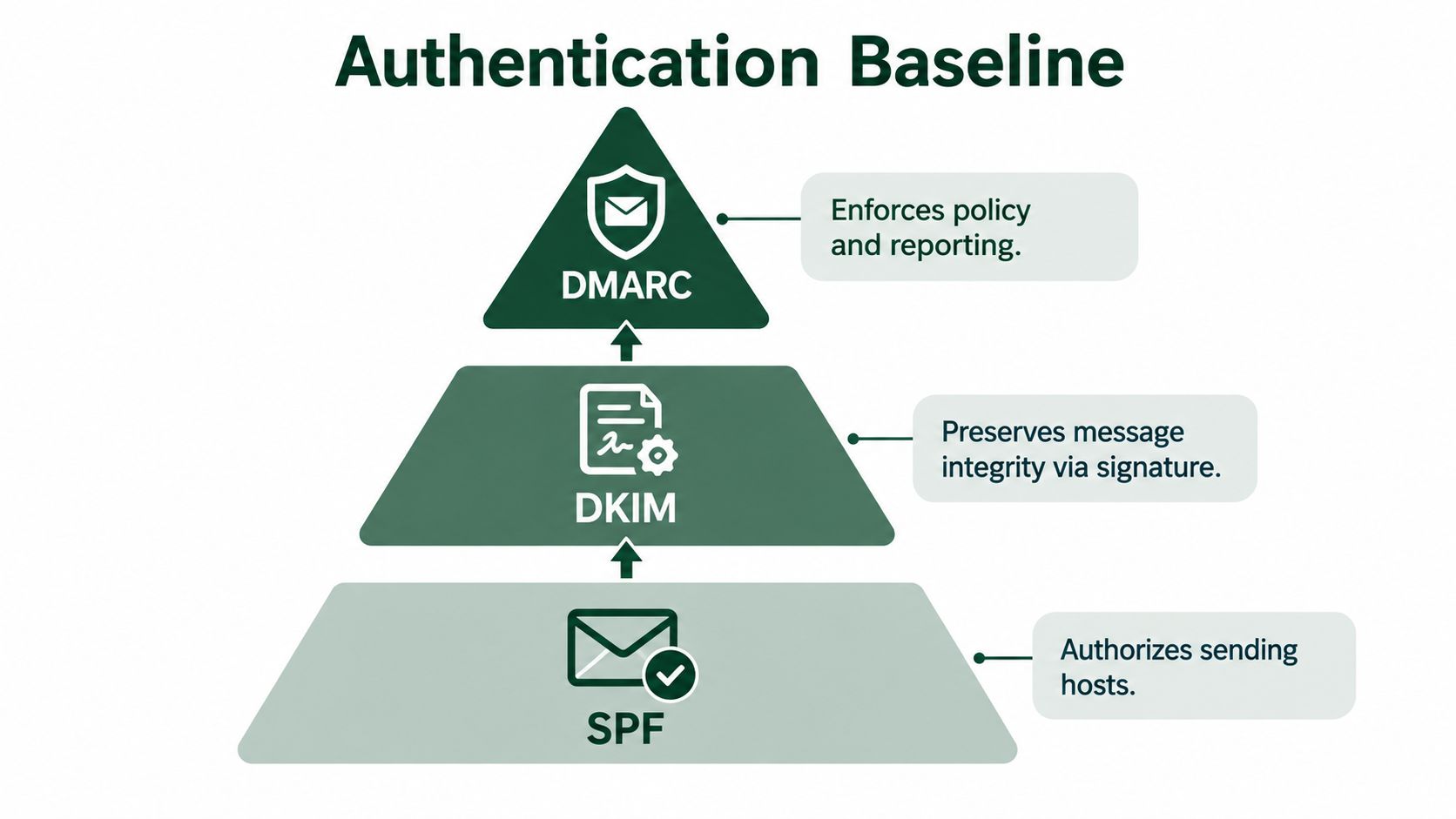
SPF, DKIM, and DMARC handle different parts of that identity:
SPF authorizes designated sending hosts.
DKIM adds a cryptographic signature that helps preserve message identity and content integrity.
DMARC checks alignment between the visible From domain and authenticated domains, then applies a policy to failures and generates reporting data.
SPF and DKIM emerged in the early 2000s. DMARC followed in 2012. That progression reflects a practical problem: providers first needed to distinguish legitimate sending infrastructure from spoofed traffic, then needed a way to connect authentication results with domain policy.
Build the identity layer correctly
Inventory every system that sends mail for the organization. Marketing automation, CRM notifications, support platforms, recruiting tools, transactional infrastructure, and outbound sequencers can all create legitimate sending paths. Missing one can produce incomplete authentication records, or make an approved vendor look like an unauthorized source.
Verify each layer in sequence:
Authorize known senders with SPF. Keep the record within the provider's DNS-lookup limit and remove obsolete sources.
Sign messages with DKIM. Use a stable key that meets Google's requirement for a 1024-bit-or-longer key.
Publish DMARC in monitoring mode. Review aggregate reports for unauthorized sources and alignment failures before applying stricter enforcement.
Check visible From alignment. SPF or DKIM must align with the organizational domain shown to recipients.
Monitor continuously. A correct record can become incomplete after a vendor, subdomain, or sending platform changes.
The guide to improving email deliverability offers operational context. Treat authentication as a live control, not a DNS task that ends at launch.
Why authentication does not establish trust
Adoption remains uneven. In a 2024 sender survey, 66.2% of respondents said they used both SPF and DKIM, while 25.7% were unsure whether their organizations had implemented them. DMARC adoption reached 53.8% in 2024, up from 42.6% in 2023, an increase of 11.2 percentage points (Mailgun's history of email authentication requirements).
These figures explain why authentication belongs in the first diagnostic pass. They do not prove that an authenticated sender will reach the inbox. A domain can pass SPF, DKIM, and DMARC while recipients mark its messages as unwanted. Providers then receive a behavioral signal that technical correctness cannot cancel.
For multi-domain B2B programs, compare authentication results by domain, platform, and campaign. A clean result across the organization can conceal one sequencer, vendor, or list generating the decline. That separation points the investigation toward the offending system instead of prompting a broad change to every outbound stream.
How Authentication Failures Create Structural Filter Traps
Authentication failures often begin as infrastructure edge cases rather than obvious delivery errors. SPF can fail when forwarding changes the apparent sending path or when a record exceeds its DNS-lookup limit. DKIM can fail when an intermediary modifies signed content. DMARC then turns those identity results into a policy decision.
Google requires all senders to use SPF or DKIM, while bulk senders must use SPF, DKIM, and DMARC. DMARC passes when SPF or DKIM succeeds and aligns with the organizational domain in the visible From address (Google's sender guidelines).
The chain looks simple:
The sending host presents an identity.
SPF or DKIM authenticates that identity.
The provider checks alignment with the visible From domain.
DMARC evaluates the result and applies the published policy.
The provider combines the result with reputation and recipient behavior.
A failure at any stage can create filtering, rejection, or reporting noise. The absence of a bounce doesn't mean the message passed every control. Some failures appear as lower placement rather than a clean error that an SDR can act on.
Common structural traps
Forwarding breaks assumptions. A forwarded message may arrive from a host that SPF didn't authorize. DKIM can preserve the original identity, but only if the forwarding path doesn't alter signed content.
DNS complexity creates blind spots. Teams often add sending vendors over time without reviewing the full SPF chain. An incomplete or overextended record can cause intermittent failures that appear only for certain messages or platforms.
Intermediaries modify content. Security gateways, forwarding services, and email systems can change headers or message content. Those changes may invalidate DKIM even though the original sender configured it correctly.
DNS reliability matters. Google recommends using a reputable, stable DNS provider because unavailable or inconsistent DNS can prevent authentication records from being evaluated reliably (Google's sender guidelines).
Controls that reduce the trap surface
Maintain a sending-source inventory with an owner for every platform. Publish DMARC in monitoring mode first, inspect aggregate reports, and identify unauthorized sources before tightening enforcement. Use stable DKIM keys, remove retired vendors from SPF, and record which platform owns each sending identity.
Authentication answers, “Who is allowed to send?” It doesn't answer, “Should this audience receive this message?”
That second question is where list quality, relevance, complaints, engagement, and pacing take over. Treating DNS as the entire deliverability program leaves the most consequential signals unexamined.
Diagnosing the Real Cause of Deliverability Decline
The hardest operational question isn't whether deliverability declined. It's which system caused the decline. Multi-domain B2B teams can have several sequencers, enrichment sources, CRM automations, and regional campaigns active at the same time. A blended dashboard hides the culprit.
Start with a fixed comparison window before changing anything. Compare the period before the decline with the period after it, then segment results by the following dimensions:
Sending domain: Look for damage isolated to one domain or subdomain.
Mailbox provider: Compare Gmail, Microsoft, Yahoo, and other provider groups.
Campaign: Separate prospecting, customer communication, and transactional traffic.
Sending identity: Trace the mailbox, platform, and authentication path.
Recipient segment: Compare source, geography, language, role, and recency.
Complaint event: Match complaints and unsubscribes to the campaign and message that preceded them.
Use an isolation sequence
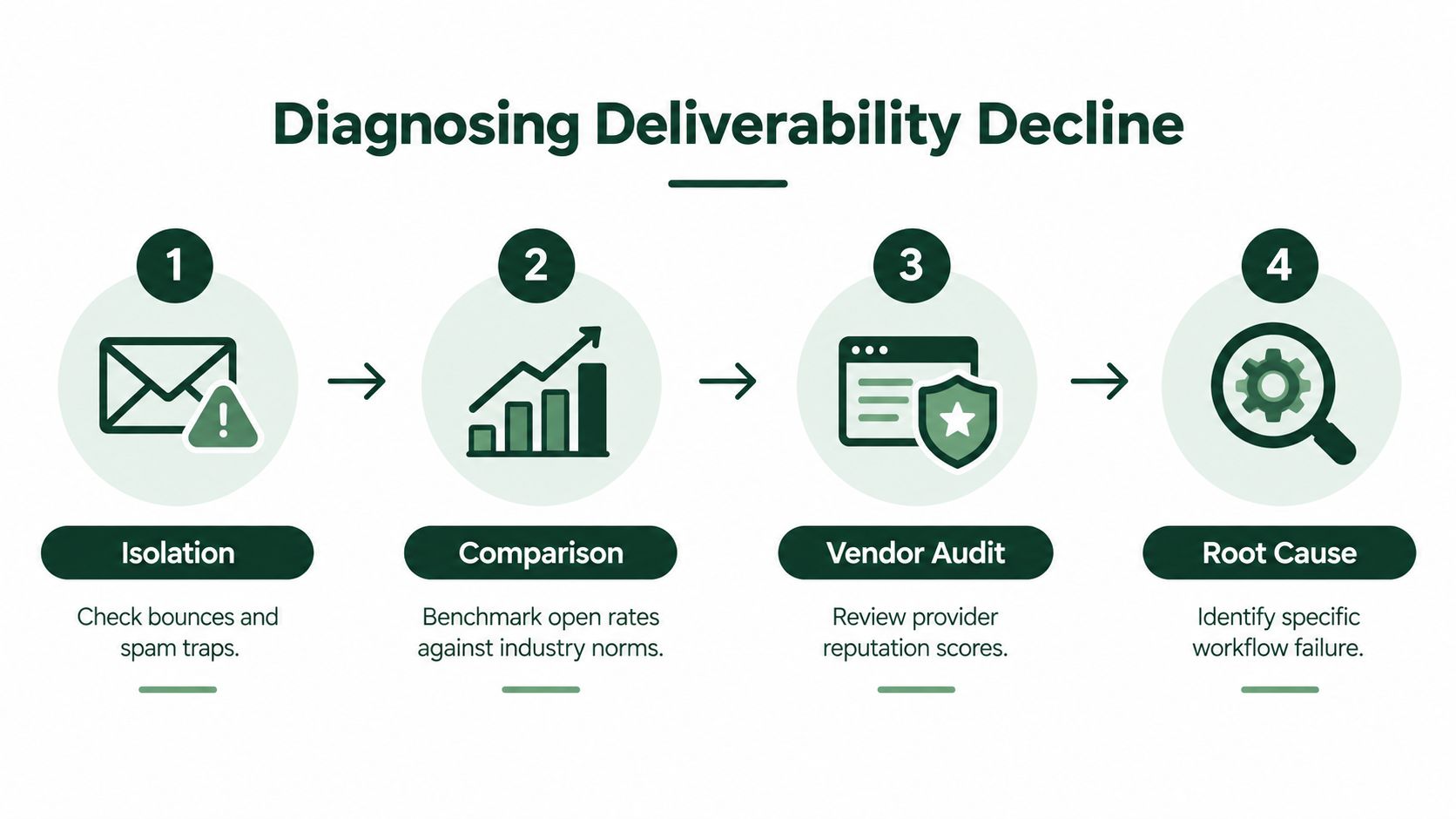
First, establish whether the issue is rejection, bounce, spam placement, or missing visibility. These are different failure modes. A hard bounce points toward address validity or policy rejection. A provider-specific placement decline points toward reputation, content, or recipient behavior.
Next, compare domains and platforms. If one campaign on one platform deteriorates while another platform using the same audience remains stable, investigate infrastructure, tracking domains, message construction, and platform reputation. If every campaign deteriorates on one domain, examine domain-level reputation and unauthorized sending sources.
Then, inspect timing. Match the first decline to a volume change, list import, new vendor, copy change, authentication modification, regional launch, or dormant-contact reactivation. Timing won't prove causality, but it narrows the investigation.
Finally, isolate the audience. Compare recently verified contacts with older records, high-intent accounts with broad prospecting segments, and local sends with global sends. A list problem often follows the audience rather than the platform.
The email deliverability testing guide can support pre-send checks, but testing a message doesn't replace post-send attribution. You need both.
Build a root-cause matrix
Observation | Most likely investigation |
|---|---|
Decline limited to one domain | Domain reputation, authentication alignment, unauthorized sources |
Decline limited to one provider | Provider-specific filtering, complaint trend, content or identity treatment |
Bounces rise after a data import | Address quality, enrichment source, validation process |
Complaints rise after a new sequence | Targeting, message relevance, opt-out experience |
Placement falls after volume changes | Pacing, audience quality, mailbox-level reputation |
Authentication failures appear by platform | SPF source inventory, DKIM signing, From-domain alignment |
Don't respond to every decline by buying a new sending domain. That can hide the signal while leaving the list, offer, or workflow unchanged. It also makes attribution harder because the team has introduced another variable.
Diagnostic rule: Change one material variable at a time, document the date, and watch provider-level behavior before declaring recovery.
A useful incident record includes the affected domains, campaigns, platforms, recipient groups, authentication results, bounce patterns, complaint events, unsubscribe timing, and actions taken. That record turns deliverability from folklore into an operational system.
Gmail and Yahoo Enforcement Differences That Matter
Gmail and Yahoo apply related controls, but they do not expose the same failure points. For B2B teams sending through several domains and platforms, a single “delivered” figure can hide which system is creating the noise. Compare provider, domain, campaign, and mailbox results before changing infrastructure.
For senders delivering approximately 5,000 or more messages to personal Gmail accounts within 24 hours, Google requires SPF and DKIM authentication, a DMARC record, and alignment between the visible From domain and either the SPF- or DKIM-authenticated domain (Google's bulk-sender requirements). Google also recommends keeping the user-reported spam rate below 0.1% and preventing it from reaching 0.3% or higher.
The thresholds translate into practical monitoring. Roughly 5 complaints per 5,000 delivered messages reaches 0.1%, while 15 complaints reaches 0.3%, according to Google's spam-rate guidance. Gmail calculates spam rates daily, and senders above 0.3% can lose access to delivery mitigations. Eligibility returns only after the rate remains below that threshold for seven consecutive days.
Gmail requires complaint discipline
Early suppression is the most useful Gmail control. Remove recipients who have shown disinterest, complained, or unsubscribed before another sequence reaches them. Segment campaigns by domain and audience quality, then compare daily complaint movement with DKIM-authenticated traffic in Gmail Postmaster Tools before increasing volume.
Small senders should not treat the bulk-sender threshold as a safe zone. A narrow campaign can still create a meaningful complaint pattern, especially when one platform or list is responsible for the change.
Yahoo requires header-level unsubscribe
Yahoo's implementation exposes a different check. A visible unsubscribe link in the body is not enough. Senders need the List-Unsubscribe header, preferably using the RFC 8058 method, so recipients can unsubscribe through a standardized one-click action (Yahoo's sender FAQs).
Put that control in the sending infrastructure, not only in footer copy. When reviewing an outbound platform, inspect the raw message headers and confirm that unsubscribe requests are processed promptly. Test each sending identity separately, since one platform's correct configuration does not prove that another platform is sending the same headers.
Provider | Operational priority |
|---|---|
Gmail | Authentication, aligned From identity, daily complaint monitoring, Postmaster Tools |
Yahoo | Authentication, visible unsubscribe, List-Unsubscribe header, one-click processing |
A shared provider playbook reduces operational effort, but provider-specific checks isolate failures that a general delivery dashboard can conceal. If Gmail complaints rise on one domain while Yahoo unsubscribe headers are missing on another, treat those as separate incidents rather than one reputation problem.
Operational Fixes for Infrastructure, Lists, Content, and Pacing
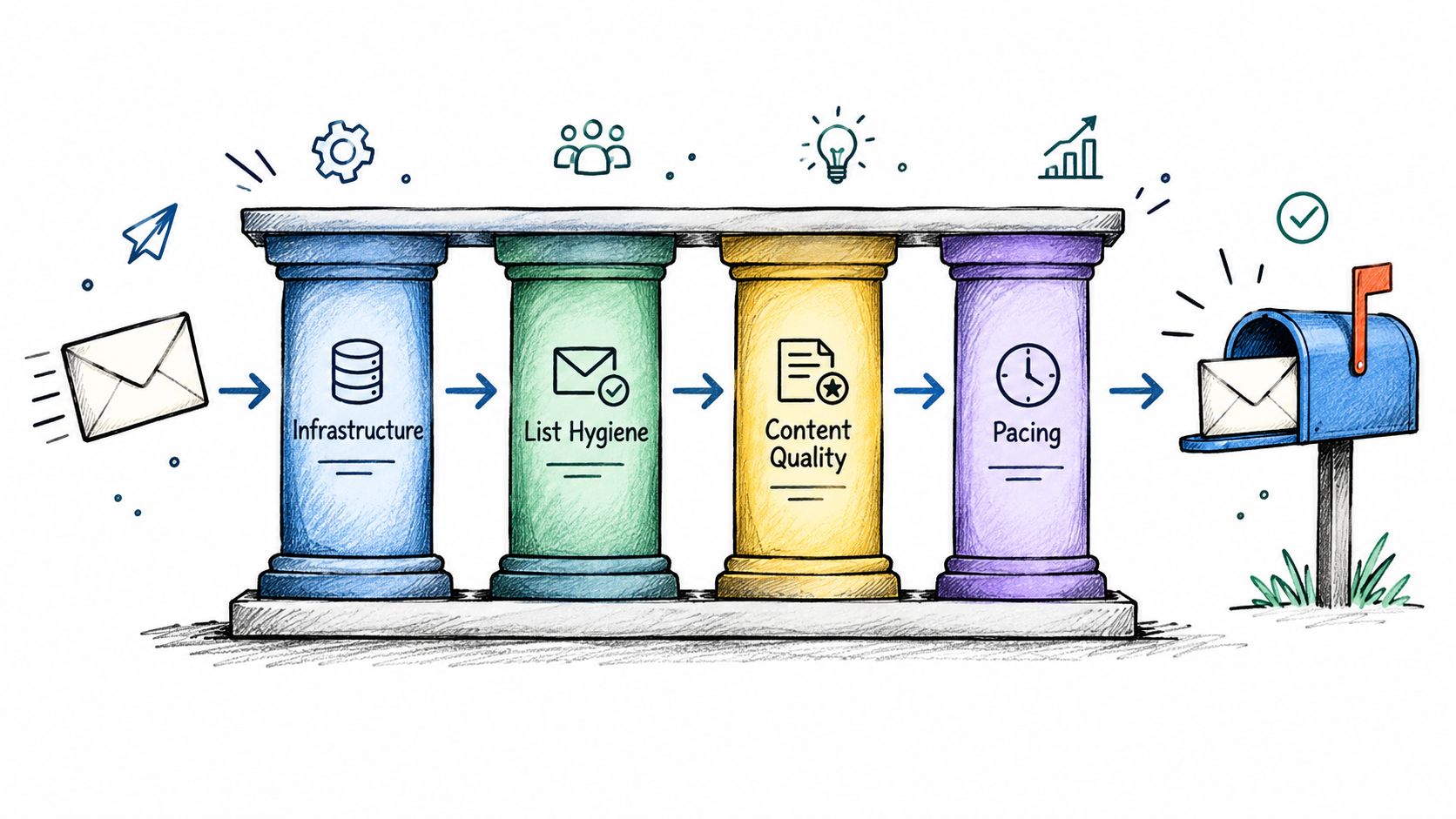
Recovery depends on connecting infrastructure controls with audience decisions. Correct authentication will not restore trust while uninterested contacts continue receiving messages. Removing one poor segment also leaves a blind spot if an unidentified platform still sends through the same identity. Treat the problem as an isolation exercise: identify which domain, platform, campaign, or list is producing the harmful signal before changing the whole system.
Stabilize the sending surface
Start with an inventory of domains, subdomains, mailboxes, platforms, tracking identities, and authentication sources. Separate transactional and prospecting traffic so a complaint-heavy outbound sequence does not share the same reputation path as password resets, invoices, or customer alerts.
Use a gradual ramp after a pause or infrastructure change. Abrupt volume changes make list quality and pacing harder to distinguish, particularly when several mailboxes begin sending together. Tie every campaign to a defined sending identity. That lets the team stop the affected workflow without interrupting legitimate messages.
Review platform separation as an operational control, not just a procurement decision. The email delivery platforms and their operational trade-offs guide is relevant when comparing visibility, routing, identity separation, and control over sending behavior.
Tighten the list before rewriting copy
List hygiene protects reputation. Suppress hard bounces, remove recipients who have shown disinterest, and review contacts that have remained dormant. Trace every imported segment to its source, especially when records come from multiple vendors or markets. A campaign-level pause is useful only if the team can identify the records and source behind the decline.
Enrichment can improve selection by adding accurate role, account, and contact context. Apollo for data enrichment and prospect research can support that workflow, while Whitewhale for intent signals can help prioritize accounts showing relevant activity. Use both as inputs to a narrower decision. Enrichment is not permission, and intent does not prove that a contact is ready to receive outreach. A verified address may still belong to the wrong person, an inactive account, or a prospect with no reason to respond.
Keep content easy to classify
Make the recipient's context clear. Accurate subjects, plain language, readable formatting, and a specific reason for contact reduce the chance that recipients report a message as unwanted. Avoid misleading urgency, excessive formatting, image-only messages, and tracking patterns that hide the destination.
The signature should follow the same restraint. A small branded element may support recognition, while animation can introduce rendering problems or distract from the message if it is not tested. The guide to adding animated GIFs to signatures can help teams assess that option. Keep the signature lightweight, and ensure the message remains clear when the asset does not render.
Pace the recovery
Pause the campaign associated with the complaint or placement decline. Lowering its volume while keeping the same sequence active does not isolate the cause. Suppress the risky segment, verify authentication, inspect provider-level behavior, and restart with the most relevant audience.
Use a defined recovery loop:
Pause: Stop the affected sequence and preserve the evidence.
Isolate: Compare domain, provider, platform, campaign, and segment performance.
Suppress: Remove complainers, uninterested recipients, invalid addresses, and questionable records.
Validate: Check authentication alignment, unsubscribe handling, message rendering, and tracking behavior.
Restart carefully: Send to a smaller, better-qualified audience and watch complaint and placement signals before expanding.
The Social Search's outbound systems and deliverability management can provide a broader operating model connecting ICP definition, data, messaging, sending infrastructure, routing, and reporting. The operating requirement is clear ownership. One person or team must interpret the signals, identify the affected system, and decide when to pause.
Small-Volume B2B Signals and APAC Expansion Realities
Small teams face a difficult measurement problem. A few complaints from a narrowly targeted campaign can represent a meaningful reputation signal, even when the total send is modest. The solution isn't to dismiss the data as noise. It's to preserve segmentation so the team knows whether the signal came from one market, provider, language, list source, or sending identity.
APAC expansion adds regional variation. Gmail, Microsoft, Yahoo, and local mailbox environments may treat the same sending pattern differently, while time zones can make engagement and complaint timing appear disconnected. Dormant contacts and seasonal volume changes add another layer of uncertainty.
Use simple decision rules:
Pause when complaint activity rises or placement falls for one identifiable segment.
Suppress recipients who unsubscribe, complain, or show sustained disinterest.
Separate transactional, customer, and prospecting traffic.
Compare regional domains and providers before changing the entire system.
Restart with a smaller, high-relevance segment after the cause is isolated.
The B2B cold email marketing guide is a useful reference for connecting targeting and outreach execution. Deliverability should remain part of that operating model, not an afterthought managed only after replies disappear.
A legitimate low-volume sender doesn't need to imitate a mass-mailing operation. It does need disciplined attribution, fast suppression, stable infrastructure, and a willingness to pause before a small signal becomes a domain-level problem.
The Social Search designs, builds, and runs outbound systems for B2B teams selling into APAC and global markets, including ICP definition, data, messaging, sequencing, sending infrastructure, deliverability management, and reporting. Visit The Social Search to discuss an outbound system that connects inbox placement diagnostics with qualified pipeline generation.
