Complete Guide to AI Chat Agent Setup for Businesses
Complete step-by-step guide to AI chat agent setup for businesses: plan, integrate with CRM and ad platforms, secure data, test, deploy, and scale to drive leads.
Every business that wants to turn conversations into revenue needs a reliable plan for AI chat agent setup for businesses. This guide walks through practical steps you can follow today to plan, build, test, deploy, and scale an AI chat agent that captures leads, supports customers, and integrates with your marketing stack.
Pre-Setup: Requirements and Planning

Before you touch any platform or API, define clear business goals and constraints. A short planning phase prevents costly rework later.
Define primary objectives: lead capture, customer support, appointment booking, or e-commerce conversion.
Identify stakeholders: product owner, IT, legal, marketing, sales, and a subject matter expert for each business function.
Set measurable success metrics: leads per week, average response time, first contact resolution rate, cost per lead.
Map data sources: CRM, order system, knowledge base, FAQ, analytics, and advertising platforms.
Compliance and privacy needs: GDPR, CCPA, payment data rules, retention policy, and consent capture.
Budget and timeline: project budget, expected monthly run costs, and go-live date.
Outcome: a two page project brief with objectives, KPIs, roles, and a 90 day rollout plan.
Why plan first: clear scope helps with vendor selection, data prep, and integration choices. If you plan to use your agent for ad-driven lead capture, include media and tracking teams at this stage so UTM and webhook strategies align with your ad platforms like Meta and TikTok. For a turnkey AI chat agent solution, consider reviewing your vendor options early. See real-world service options for automated AI chat agents: Automated AI Chat Agents - The Social Search.
Step 1: Choosing Your AI Chat Agent Platform
Pick a platform that matches your technical resources and business goals. Focus on integration, security, and cost.
Key selection criteria:
Integrations: native connectors to your CRM, analytics, support ticket system, and ad platforms.
Model flexibility: ability to choose or update LLMs and tune prompts or fine-tune models.
Omnichannel support: web chat, social inbox, Meta lead forms, SMS, and APIs for TikTok flows.
Extensibility: custom tool calls, webhooks, and the ability to run business logic.
Security and compliance features: encryption, SOC or ISO certifications, audit logs, and consent handling.
Pricing model: per conversation, per session, API calls, or flat licensing.
SLA and support: uptime guarantees and onboarding help.
Vendor selection tip: create a short scorecard with your top 4 platforms and rate them by the criteria above. Include expected monthly costs for 5k conversations and 50k API calls to estimate TCO.
If your agent will support paid social campaigns, make sure the platform supports easy lead handoffs and tracking. Integrate with your ads stack and consider partnering with a paid ads management team to orchestrate lead flows: Paid Ads Management - The Social Search.
Step 2: Data Preparation and Integration
Clean, organized data is the backbone of a high-performing chat agent. Spend real effort here.
Data sources to prepare:
CRM fields and objects you want to read and write.
Knowledge base articles, FAQs, product info, and policy pages.
Order history and support tickets for personalized responses.
Ad metadata and UTM parameters for campaign attribution.
Practical steps:
Export and audit content. Remove duplicate, outdated, or contradictory answers.
Structure knowledge base docs into Q and A pairs, step-by-step procedures, and short snippets for fast retrieval.
Create a mapping document for CRM fields - what you will read, what you will update, and what triggers a handoff to sales.
Set up a secure data pipeline. Use HTTPS endpoints, webhook authentication, and role based access.
Decide on training approach. Use retrieval augmented generation with vector search for up-to-date info or fine-tune small models for highly specialized terminology.
Technical integration checklist:
API keys management and rotation policy.
Webhook endpoints for lead capture and event notifications.
OAuth flows when required by CRM or ad platforms.
Logging and audit trail for each conversation.
Note on embeddings: use embeddings for semantic search in a vector database if your knowledge base contains long articles. This reduces hallucinations and improves answer relevance.
Step 3: Configuration and Customization

Configure the agent to reflect brand voice, handle common tasks, and escalate when needed.
Core configuration items:
Persona and tone. Define allowed language, formal or casual tone, and banned responses.
Intent and entity definitions. Create a small taxonomy for common intents like “pricing”, “order status”, “schedule demo”.
Conversation flows. Map happy paths and fallback paths. Keep fallbacks short and escalate to human agents quickly when needed.
Tool calls and actions. Configure actions like “create lead”, “fetch order status”, “schedule meeting”, or “send coupon”.
Session context and memory. Decide what to remember during a session and what to persist across sessions.
Prompt engineering templates
Intent classifier prompt sample:
“You are an intent classifier. Identify if the user wants ‘pricing’, ‘support’, ‘lead capture’, or ‘other’. Return only the intent.”
Response generation prompt sample for RAG systems:
“Use the following extracted facts from the knowledge base to answer the user’s question in two short paragraphs. If the answer is not in the facts, say ‘I do not have that info, can I connect you to a specialist?’.”
Social media and ad integration
For Meta lead ads: attach a webhook that creates a CRM lead and triggers the chat agent to send an immediate follow-up message via email or web chat.
For TikTok campaigns: use short landing pages with embedded chat widgets that pass campaign parameters to the agent. Route higher intent engagements to a live rep.
Example lead capture flow
User clicks ad. UTM parameters captured.
User engages with chat widget and answers qualifying questions.
Agent creates a CRM lead and sets lead score.
If score is high, agent prompts for demo booking and calendar availability.
Notify sales via Slack or CRM task.
To automate social touchpoints and scheduling, connect your social automation tools: Automated Social Media - The Social Search.
Step 4: Testing and Quality Assurance
Test across realistic scenarios before you go live.
Testing checklist:
Unit tests: intent classification accuracy, entity extraction, tool call success.
End-to-end flows: test happy path, edge cases, and multi turn conversations.
Load tests: simulate concurrent sessions to validate latency and rate limits.
Security testing: verify access controls, encryption, and webhook authentication.
Human review: sample 500 conversations and tag errors for retraining or prompt updates.
Quality metrics to track during testing:
Intent accuracy and false positive rate.
Fallback frequency and resolution after escalation.
Average response time under load.
Conversion and lead quality relative to baseline.
A/B testing ideas
Test different opening messages to increase lead capture.
Compare short versus long answer styles for conversion rate.
Test different qualification scripts for ad-driven leads to reduce CPL.
Step 5: Deployment and Monitoring
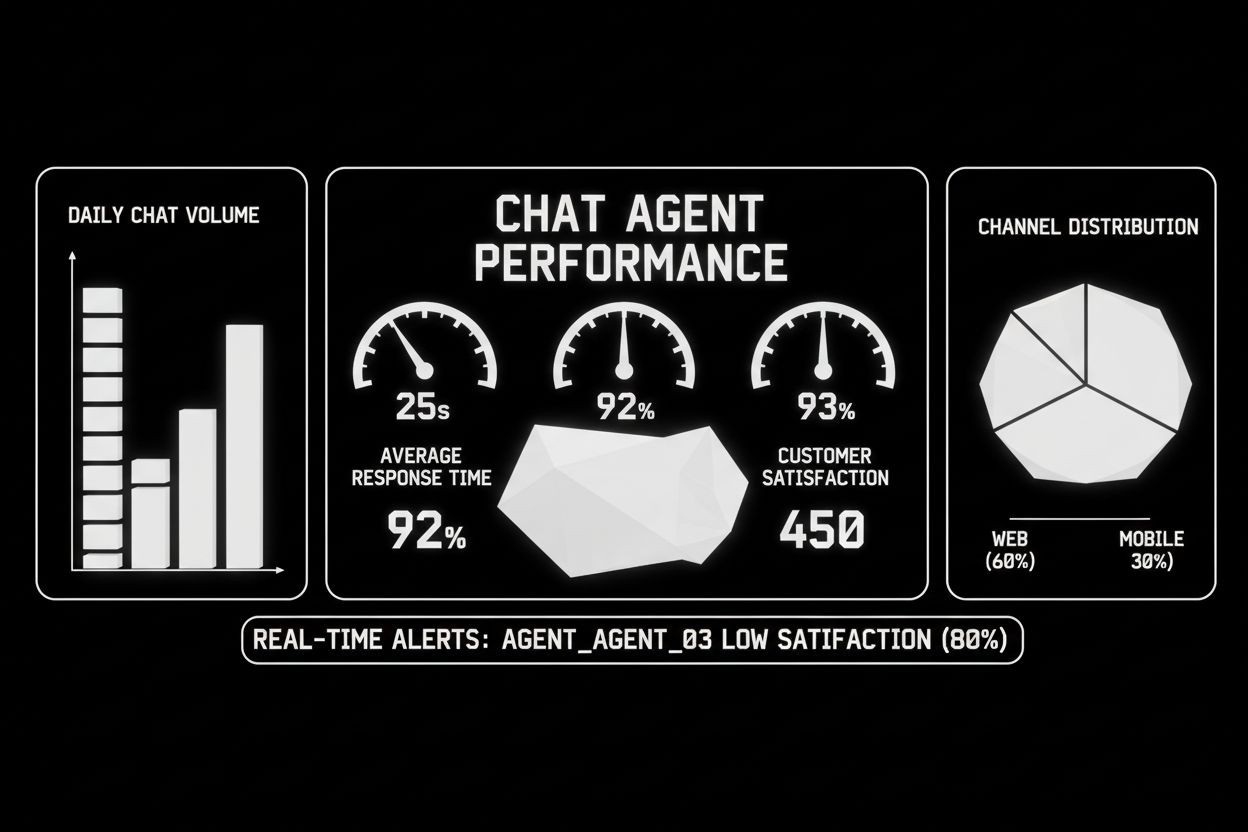
Deployment can be phased to minimize risk. Monitor continuously once live.
Deployment options:
Soft launch to internal users or a small geo segment.
Phased rollout by traffic source, keeping the highest value channels on manual routing until confident.
Blue-green deployment if your platform supports it to rollback quickly.
Monitoring essentials:
Conversation analytics: sessions, active users, retention, and satisfaction scores.
Performance metrics: latency, error rates, failed tool calls.
Business metrics: leads created, meetings booked, sales assisted, revenue influenced.
Alerts: set thresholds for high fallback rate, high latency, or sudden drop in conversations.
Operational playbook
Create incident runbooks for data loss, service outages, and model-induced unsafe replies.
Define escalation paths to engineering and legal.
Schedule weekly review meetings for the first 90 days to triage issues and update prompts.
Step 6: Optimization and Scaling
Once stable, focus on improving accuracy, reducing costs, and increasing business impact.
Optimization levers:
Prompt tuning and response templates to reduce hallucinations.
Upgrade or change models for cost and accuracy trade offs.
Use caching for common queries to reduce API calls.
Implement sampling and human review for continuous learning.
Introduce a human-in-the-loop pipeline for edge cases.
Scaling considerations:
Rate limiting and backpressure to protect downstream systems.
Horizontal scaling for conversational API workers.
Cost monitoring to avoid runaway bills when campaign traffic spikes.
Measure ROI
Track conversion lift, cost per lead, average handling time savings, and support headcount reduction. Use these metrics to justify additional investment.
Common Setup Mistakes to Avoid
Skipping the planning phase and starting direct with a platform.
Not preparing or cleaning data which leads to inconsistent answers.
Over-automation without easy human handoffs.
Ignoring ad tracking and campaign parameters when capturing leads.
Failing to monitor costs and model usage during high demand.
Setup Checklist and 8-Week Timeline
Week 0-1: Planning
Project brief and KPI agreement
Stakeholder assignment
Platform shortlist
Week 2-3: Data and Integration
Knowledge base audit
CRM mapping and API access
Webhook endpoints and auth
Week 4: Configuration
Persona, intents, and flows
Tool calls and actions
Prompt templates
Week 5: Testing
Unit, E2E, load, and security tests
User acceptance testing
Week 6: Soft Launch
Internal beta or small geo rollout
Monitor KPIs and fix issues
Week 7-8: Full Rollout and Optimization
Gradual traffic increase
Weekly review and prompt updates
Start A/B tests for messaging
Quick checklist you can copy
Objectives and KPIs set
Platform chosen and scored
CRM and knowledge base connected
Security and consent configured
Intents and flows documented
Testing plan executed
Monitoring and alerts in place
Rollout schedule and playbooks ready
Cost Estimation and ROI Quick Method
A simple ROI approach:
Estimate monthly leads from agent: conversations per month x conversion rate.
Calculate cost per lead: total monthly cost of platform and compute divided by leads.
Compare to current CPL and time savings for support staff.
Hidden costs to consider:
Integration development and maintenance
Ongoing content curation and prompt tuning
Monitoring and anomaly response overhead
Extra costs for peak traffic
Security, Compliance, and Governance
Limit data retention and store only what is necessary.
Use encryption in transit and at rest.
Implement role based access control for configuration consoles.
Log and audit changes to prompts and model settings.
Ensure consent capture and an easy way to request data deletion.
If you handle payment or health data, add compliance checks and dedicated legal review before going live.
Final Notes and Next Steps
You now have a practical setup path for AI chat agent setup for businesses. Start with a short pilot focused on one high value use case, instrument results, iterate fast, and expand to other channels.
If you want turnkey help implementing lead capture flows and integrating with your paid campaigns, consider specialized services for automated lead generation and ad orchestration: Automated Lead Generation - The Social Search. To tie your chat agent into social campaigns and content, explore expert support for social automations: Automated Social Media - The Social Search. For help with paid ad funnels that feed your chat agent, this resource may help coordinate media and messaging: Paid Ads Management - The Social Search.
Ready to discuss a tailored implementation or get a demo? Reach out for a project consultation and next steps: Contact The Social Search.
Appendix: Sample quick prompt for lead capture
“You are a helpful assistant. Ask three qualifying questions for a sales lead: budget, timeline, and key pain. Keep it friendly and end by asking for an email or phone. If the lead meets criteria (budget over X), offer to schedule a demo and create a CRM lead.”
Use this guide to reduce time to value and avoid the common pitfalls many teams encounter. With measured planning, correct integrations, and continuous optimization you can turn an AI chat agent into a reliable contributor to leads and revenue.